
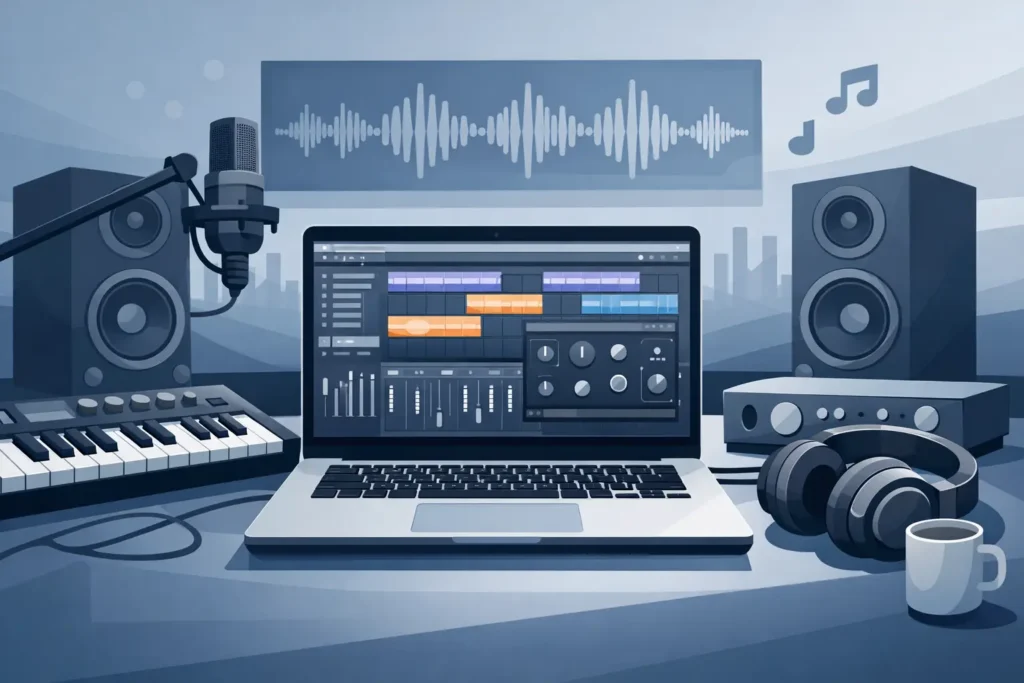
A laptop can look impressive on a spec sheet and still become the weak point in a session. The moment a large virtual-instrument template starts crackling, a tracking session needs low buffer settings, or a client asks for a last-minute video export, the difference becomes obvious. The best laptops for producers are not simply the models with the highest advertised clock speed. They are systems selected and configured for sustained creative workloads, reliable peripheral connectivity, quiet operation, and predictable performance.
For a producer, the right laptop is a working instrument. It needs to open a demanding project without hesitation, keep an audio interface connected through a long day, and leave enough performance headroom for the next plug-in, stem print, or revision. That requires looking beyond consumer laptop categories.
What Makes the Best Laptops for Producers?
A production laptop has to balance processing power, portability, thermals, memory, storage, display needs, and I/O. The priority changes with the work. A songwriter recording vocals and building tracks on the road may value battery life and a compact chassis. A composer running orchestral libraries, a mix engineer working at low latency, or a producer editing music videos will need more memory, more storage, and substantially more sustained CPU performance.
The key word is sustained. Many laptops can burst to a high speed for a short benchmark. Audio and video sessions place a longer, less forgiving load on the machine. Plug-ins, software instruments, sample streaming, waveform rendering, background processes, and interface drivers all compete for resources. A laptop that stays stable under that pressure is more valuable than one that wins a brief consumer performance test.
Start with the processor, but do not stop there
The CPU is still the center of a DAW-based system. It determines how many real-time plug-ins, instrument voices, tracks, and processing chains a session can handle before the audio engine reaches its limit. Modern multi-core processors help greatly with mixing, rendering, video exports, and large instrument sessions, but single-core performance remains significant for low-latency tracking and plug-in chains that cannot be distributed efficiently across cores.
For serious production, prioritize a current high-performance processor rather than a low-power chip designed mainly for light office work. The right choice depends on the DAW, plug-in collection, and typical session size. More cores are useful, but they are not an automatic answer if the system has weak cooling or aggressive power limits that reduce speed during extended work.
RAM determines how comfortably projects grow
Memory is where a laptop either feels composed or starts forcing compromises. For basic recording, editing, and moderate plug-in counts, 16GB can be workable. For professional audio production, 32GB is a more practical baseline. It gives the operating system, DAW, plug-ins, and active projects room to operate without constant memory pressure.
Composers and producers who rely on large sample libraries should strongly consider 64GB or more. Loading orchestral templates, multiple samplers, and high-resolution instruments can consume memory quickly. Video production adds another reason to avoid underspecifying RAM, particularly when working with high-resolution source material, motion graphics, or several applications at once.
Because many modern laptops use soldered memory, this decision often cannot be changed later. Buy for the sessions you expect to handle a year or two from now, not only the smallest project on your current drive.
Fast storage protects session flow
A fast internal NVMe SSD makes a noticeable difference when opening projects, loading samples, searching media, building peaks, and exporting deliverables. Capacity matters just as much. Audio files, multitrack recordings, sample libraries, video footage, and backups can overwhelm a small internal drive with surprising speed.
A 1TB SSD is a reasonable starting point for many producers, while 2TB or more makes more sense for mobile workstations that regularly carry active sessions and libraries. Ideally, the laptop supports more than one internal drive. Separating the operating system and applications from active project media or sample content can make storage management easier and reduce avoidable bottlenecks.
External storage still has a role, especially for archives and less frequently used libraries. It should not be a substitute for adequate internal capacity when you need dependable performance in a live recording or client editing session.
Low latency depends on the whole system
A fast processor alone does not guarantee low-latency audio. DPC latency, driver behavior, power management, wireless hardware, USB controllers, firmware, and background software can all affect whether a system records cleanly at a practical buffer size. This is why generic laptop recommendations can be misleading for producers.
When tracking vocals, guitar, or external instruments through monitoring plug-ins, the system must respond consistently. Pops, dropouts, and error messages break concentration and cost time. The laptop also needs to work cleanly with the specific interface, control surface, MIDI devices, external drives, and displays that make up a real studio setup.
A purpose-built production system is tested with these realities in mind. PCAudioLabs builds Windows workstations for creators who need that level of attention, rather than asking them to spend valuable studio time diagnosing operating-system settings and hardware conflicts.
Ports are a workflow requirement, not an accessory
Count your connections before choosing a laptop. A producer may need an audio interface, external SSD, MIDI controller, iLok, Ethernet connection, display output, and power at the same time. If the laptop requires several adapters just to begin a session, that convenience can turn into a reliability concern.
USB-C and Thunderbolt can provide excellent bandwidth and flexible docking options, but implementation matters. Confirm that the ports support the functions your gear requires, including display output, charging, and high-speed data. Traditional USB-A ports remain useful for many music peripherals. An Ethernet port or a reliable adapter can also be valuable for studio networks, remote storage, and dependable file transfers.
Do not assume every dock behaves equally well with audio interfaces. If a critical device will be connected through a dock or adapter, test that exact path before relying on it for a paid session.
Cooling and noise are part of the recording environment
Thin laptops often make a trade-off: they can be easy to carry, but their compact cooling systems may limit sustained performance or become noisy under load. Fan noise is not merely a comfort issue when recording in the same room as the computer. It can reach microphones, distract performers, and encourage producers to reduce performance settings just to keep the machine quiet.
A larger chassis often has an advantage here. Better thermal capacity allows the processor to maintain useful speeds during long mixes, virtual instrument sessions, and video renders. It may be less convenient in a backpack, but it can be the smarter choice for a producer whose laptop is regularly used as a primary studio machine.
The best option depends on where the computer will work. For frequent travel and writing sessions, a well-built 14-inch model can be an effective compromise. For mixing, scoring, editing, and recording with demanding sessions, a 16-inch performance laptop generally provides more cooling room, screen space, connectivity, and upgrade potential.
Choose the display and graphics for your actual production work
Music-only producers do not always need a powerful dedicated graphics card. Integrated graphics can be sufficient for most DAW sessions, especially when the system is focused on CPU performance, memory, and storage. A clear, color-accurate display and the ability to connect external monitors may matter more than gaming-class graphics.
Video editors, motion designers, and content creators have different needs. Dedicated graphics can accelerate playback, encoding, effects, and GPU-aware creative applications. It also becomes more relevant when driving high-resolution external displays. The trade-off is greater cost, heat, fan activity, and power consumption, so it should be selected for a real workload rather than assumed to be necessary.
Screen size deserves the same practical thinking. A 14-inch display travels well but can feel cramped with a mixer, arrangement view, plug-in windows, and reference material open. A 16-inch screen gives more room to work while remaining portable enough for many producers. If the laptop will spend most of its time at a desk, external displays can provide a more comfortable long-session setup.
Avoid buying on headline specs alone
A laptop marketed to gamers or general business users may have excellent raw hardware and still be poorly suited to studio work. Preinstalled utilities, aggressive power profiles, driver conflicts, limited ports, non-upgradeable storage, and inconsistent thermal behavior can all create friction that a standard benchmark will not show.
Before committing, assess the complete production environment: your DAW, audio interface, plug-ins, sample libraries, video software, displays, controllers, storage, and expected session size. Also consider serviceability and support. When a system is central to booked sessions and delivery deadlines, knowledgeable help is part of its value.
The right laptop should disappear into the work. It should let you track at a useful buffer, load the instruments the arrangement needs, edit without waiting on the machine, and send the final deliverable without wondering whether the next update or device connection will derail the day.