
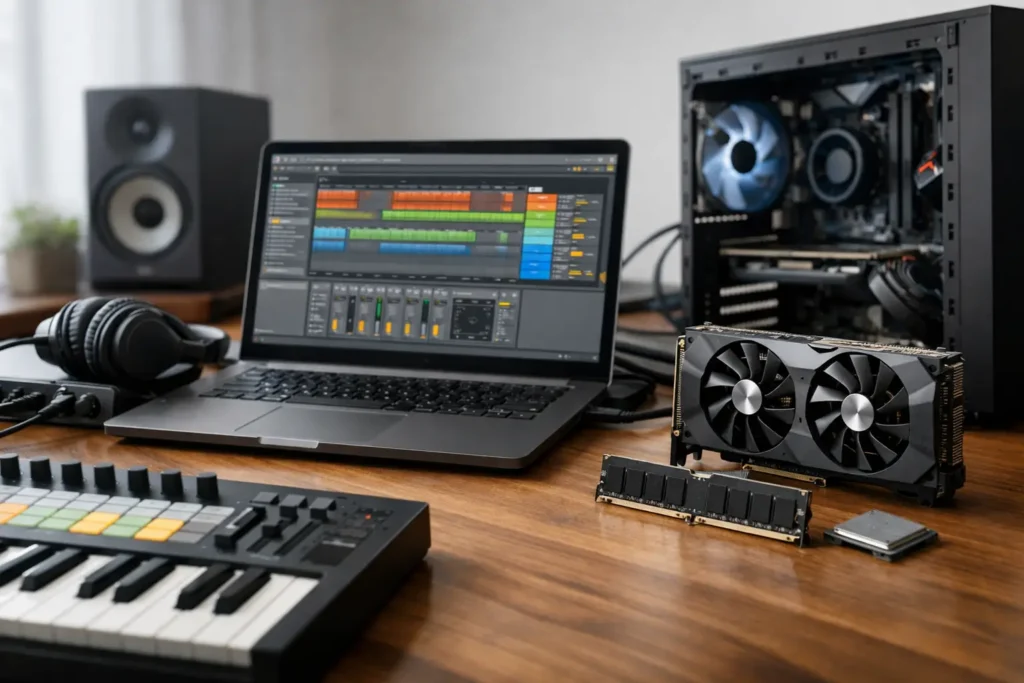
If you are checking Ableton Live pc requirements because the official minimum specs look easy to meet, that instinct is right. Live may install on a modest Windows machine, but that does not mean it will feel dependable once your session includes virtual instruments, real-time monitoring, sample libraries, and low buffer sizes. For serious production work, the useful question is not whether Ableton Live will open. It is whether your system can keep up when the session gets real.
Ableton Live PC requirements are not just about launching the app
Ableton Live is efficient in some ways, but it can also expose weak points fast. A simple beat-making session with a few audio tracks and stock effects is one thing. A modern project with software synths, oversampling, large Kontakt libraries, third-party mastering chains, and automation across dozens of tracks is another.
That is why minimum specs and working specs are two different conversations. The minimum gets you into the software. A production-ready system gives you headroom for tracking, editing, mixing, and revising without constantly changing buffer settings or freezing tracks just to stay moving.
For most creators, the real hardware priorities come down to processor performance, available RAM, fast storage, stable USB and Thunderbolt behavior where relevant, and overall system tuning. In Live, those factors affect latency, plugin count, responsiveness, and whether your machine stays reliable under pressure.
CPU matters most for Ableton Live
If there is one component that most directly shapes your experience in Live, it is the processor. DAW workloads are not the same as general office or gaming workloads. In audio production, the system often has to process tracks and plugins in real time, especially during recording and monitoring.
A stronger CPU helps in three places. First, it gives you more room for software instruments and effects before audio crackles start. Second, it improves low-latency performance when you are recording vocals, guitars, or MIDI instruments. Third, it keeps large arrangements more responsive while you edit and arrange.
Clock speed still matters, but core count matters too. Live can spread work across multiple cores, though not every task scales perfectly. In practice, a modern multi-core Intel Core i7 or i9, or AMD Ryzen 7 or Ryzen 9, is usually the right tier for producers who expect serious plugin use. Entry-level processors can work for lightweight sessions, but they tend to run out of room once projects become dense.
There is also a trade-off here. A system built only around high peak specs can still disappoint if cooling, power delivery, and BIOS settings are not chosen with DAW stability in mind. For creators, sustained performance and consistency matter more than a spec-sheet headline.
How much RAM do you really need?
RAM requirements depend heavily on the kind of work you do in Live. If your sessions are mostly audio tracks, basic effects, and stock instruments, 16GB can still be workable. If you use large sample libraries, orchestral templates, multi-layered synth patches, or run Live alongside other production tools, 32GB is the more comfortable starting point.
For composers and producers who keep many sampled instruments loaded at once, 64GB can make sense. This is less about Live itself and more about the instruments and libraries inside the session. Kontakt, drum libraries, cinematic sound design tools, and layered templates can consume memory quickly.
The practical issue with too little RAM is not just an error message. Sessions load slower, switching between projects feels heavier, disk streaming pressure goes up, and the system has less margin when the arrangement gets large. In other words, insufficient RAM can make a fast CPU feel slower than it should.
Storage has a bigger impact than many users expect
For Ableton Live on Windows, solid-state storage is no longer optional if you care about professional workflow. The operating system and applications should be on an SSD, and large sample libraries benefit from fast SSD storage as well.
A single drive can work for smaller setups, but many creators benefit from separating workloads. One drive for Windows and applications, another for project files and sample libraries, can reduce congestion and make large sessions feel more responsive. This matters most when your work involves lots of sample streaming, large multitrack projects, or frequent file access during editing and playback.
Capacity matters too. Live itself is not huge, but modern production environments grow fast. Add packs, plugin content, drum libraries, backup project versions, rendered stems, and video assets, and storage fills up sooner than expected. A system with enough space to grow is usually a better investment than one that starts almost full.
Audio interface stability is part of the equation
People often frame ableton live pc requirements as CPU, RAM, and storage only. That misses a major part of DAW performance on Windows: the relationship between the computer and the audio interface.
Live depends on stable low-latency driver performance. A powerful PC paired with a poor interface driver can still produce dropouts, crackles, or unstable latency behavior. In real sessions, that means interrupted takes, distracting monitoring delay, or wasted time troubleshooting settings instead of recording.
ASIO driver quality matters. So does chipset compatibility, USB controller behavior, and overall system optimization. This is one reason purpose-built audio workstations tend to outperform generic consumer machines with similar paper specs. The components may look similar at a glance, but the result can be very different when you are pushing a session at a 64 or 128 sample buffer.
What different Ableton users actually need
A producer building electronic tracks with stock devices and moderate plugin counts can often work well on a mid-to-upper midrange system with 16GB to 32GB of RAM and fast SSD storage. That kind of workflow is lighter than many people think until large synth stacks and mastering chains start piling up.
A recording engineer tracking bands or vocal-heavy sessions needs more than raw speed. Low-latency performance, stable drivers, quiet operation, and dependable connectivity matter just as much. A machine that benchmarks well but throws interruptions during a take is the wrong machine for the job.
A composer or sound designer usually needs more memory and storage because sample libraries dominate the workflow. In these cases, 32GB is often the floor, and 64GB may be the smarter long-term choice.
A live performer using Ableton on stage needs a different kind of confidence. The system should not just be fast enough. It should be predictable, cool-running, and stable across long sessions with controllers, interfaces, and external hardware attached.
Recommended practical spec tiers
For lighter Ableton projects, a modern Intel Ultra 7 or AMD Ryzen 7, 16GB RAM, and NVMe SSD storage is a reasonable baseline. This is enough for songwriting, editing, and moderate production sessions if you are disciplined with plugin use.
For most professional users, the better target is a modern Intel Ultra 7 or 9, or Ryzen 7 or Ryzen 9, with 32GB RAM and fast NVMe storage. That gives Live enough room for serious multitrack work, virtual instruments, and mix sessions without feeling constrained too early.
For heavy sample-based production, large templates, or demanding mix work, 64GB RAM and multiple fast SSDs become easier to justify. At that point, the system is not just meeting Ableton Live PC requirements. It is being built around the workflow you actually depend on.
Why generic PCs often fall short
On paper, many off-the-shelf computers appear capable of running Live. In practice, creators run into fan noise, background process interference, DPC latency issues, poor port selection, thermal throttling, or compatibility headaches that never show up in a retail product listing.
That is the difference between buying a computer and buying a production workstation. A DAW system should be selected and tuned for the way audio software behaves, not just for broad consumer use. Component choice, firmware behavior, cooling design, and validation with creative software all affect the end result.
For that reason, many serious users eventually move toward systems designed specifically for audio production. Companies like PCAudioLabs build around that need because studio work punishes weak system integration faster than casual desktop use ever will.
The better question to ask before you buy
Instead of asking whether a PC meets Ableton’s stated requirements, ask whether it fits your session style six months from now. Will it still be comfortable when you add more plugins, larger sample libraries, more tracks, and tighter deadlines? Will it stay stable at the buffer settings you actually need for recording?
A computer for Live should give you margin, not just access. That extra room is what keeps you creating instead of troubleshooting. If your machine can handle the project after it grows, that is when the specs were chosen correctly.
Buy for the sessions you intend to run, not the ones that only prove the software can open.