
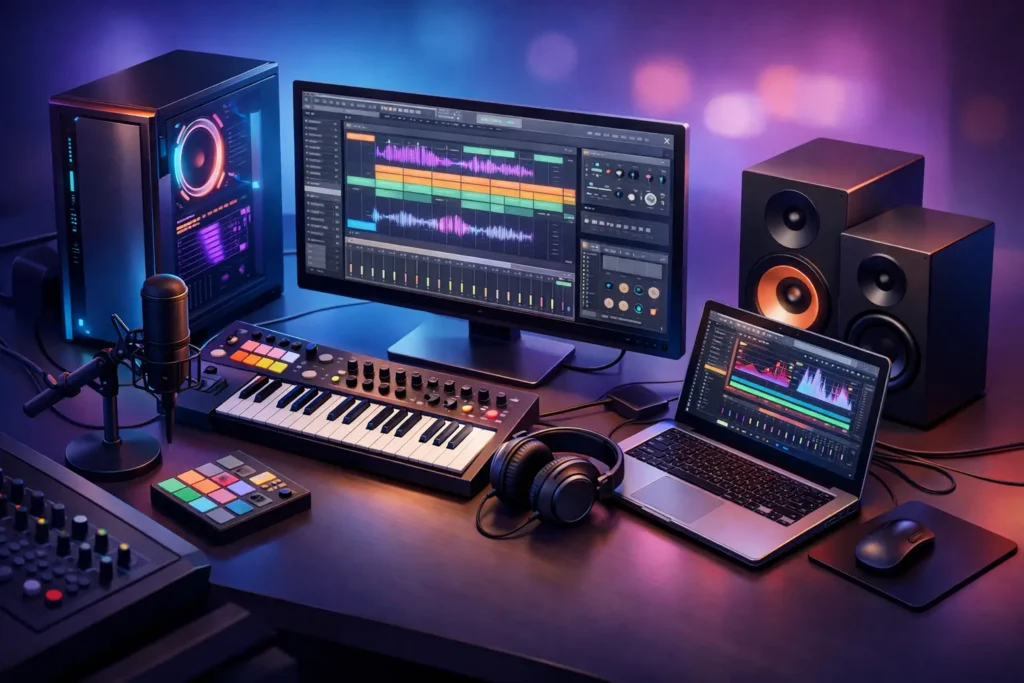
A session goes sideways fast when the computer starts acting like another instrument in the room – fan noise creeping into a vocal take, buffer errors during overdubs, plugins stalling a mix that played fine an hour ago. That is why choosing the best computer for music production is less about chasing headline specs and more about building a system that stays stable under real studio pressure.
For producers and engineers, the wrong machine usually fails in familiar ways. It looks powerful on paper, but it was built for general use, gaming, or office work. Music production is different. Low-latency recording, dense plugin chains, large sample libraries, and long editing sessions put very specific demands on a computer. The best system is the one matched to your workflow, your DAW, and the way you actually work day to day.
What the best computer for music production really needs
The first thing to understand is that music production performance is not one number. A machine can score well in broad benchmarks and still feel disappointing in a DAW. Recording at low buffer settings stresses the processor differently than offline bouncing. Running orchestral templates leans heavily on memory and storage. Mixing with CPU-hungry plugins creates another kind of load altogether.
That is why a purpose-built audio computer starts with balance. You need a strong processor, enough RAM to avoid paging to disk, fast storage for sessions and sample libraries, and a motherboard and chipset that play well with your interface, controller, and software environment. Quiet cooling matters too. In a control room or writing space, excess fan noise is not a cosmetic issue.
A lot of buyers focus only on CPU model names. The processor matters, but it is only one part of the story. Thermal behavior, BIOS tuning, background process control, and compatibility testing all affect whether a computer feels dependable during sessions.
CPU choice depends on your production style
If you record and monitor in real time, single-core and low-latency performance are a priority. That is especially true when tracking through plugins or running a session at conservative buffer settings. In those cases, a fast modern CPU with excellent per-core performance can make the system feel responsive and controlled even before you get to mixdown.
If your work leans toward large arrangements, sound design, scoring, or mix sessions with heavy plugin counts, core count starts to matter more. More cores can help distribute workloads across tracks and background tasks, but only if the rest of the system is configured properly. More is not automatically better. Some users end up paying for CPU overhead they rarely use while missing gains they would have felt more clearly from better storage or more RAM.
For many serious producers, the sweet spot is a current high-performance desktop processor that offers strong single-core speed and enough multi-core headroom for growth. Laptop processors have improved significantly, but desktops still make more sense when you want maximum sustained performance, lower noise, easier expansion, and longer service life.
RAM and storage are where many systems fall behind
It is easy to underestimate memory until a project starts using large drum libraries, orchestral instruments, vocal processing chains, and video assets in the same session. For lighter production, 32GB can be workable. For larger templates and professional mixing or composing workloads, 64GB often becomes the more realistic baseline. If you regularly run large sample libraries, moving beyond that may be justified.
Storage should be treated as a workflow decision, not just a capacity decision. A modern SSD is essential for the operating system and applications. A second fast drive for active sessions and another for sample libraries can improve organization and help maintain performance under load. Mechanical drives still have a role in backup and archive, but they are not ideal as the primary drive for modern production work.
This is one reason off-the-shelf consumer systems can feel limiting. They may technically meet minimum requirements, but they often leave little room for clean drive separation, future memory upgrades, or interface expansion. Music production systems need to support how sessions grow over time, not just how they open on day one.
Desktops, laptops, and rackmounts each solve different problems
When people ask for the best computer for music production, they often assume there is one universal answer. There is not. The right form factor depends on where and how the work happens.
A desktop tower is still the strongest choice for many studios. It gives you the best balance of performance, cooling, quiet operation, and expandability. If your system stays in one room and handles tracking, editing, mixing, and mastering, a properly configured tower is usually the most practical long-term investment.
A laptop makes sense when mobility is part of the job. Producers moving between writing rooms, home studios, rehearsal spaces, and client sessions need portability. The trade-off is that thermal limits, fan behavior, upgrade restrictions, and port selection matter more. A laptop can absolutely be a professional production tool, but it has to be chosen with those compromises in mind.
Rackmount systems fill a different role. For touring playback, remote recording rigs, machine rooms, and studio environments where standardized deployment matters, they offer a clean and efficient solution. They are not for everyone, but in the right setup they solve real operational problems.
Stability beats raw specs every time
A music production computer is judged in the middle of a paying session, not in a spec sheet comparison. This is where system integration becomes critical. Audio interfaces, USB controllers, Thunderbolt implementations, graphics behavior, power settings, and driver interaction all influence whether the machine behaves consistently.
Generic consumer PCs are usually designed around broad market priorities. Audio workstations are different because they need to be tested around DAW behavior and peripheral compatibility. A machine that has been configured and validated for audio production saves time you would otherwise spend troubleshooting clicks, dropouts, sleep-state issues, or device conflicts.
That is the real distinction between a standard computer and a production-ready one. The value is not just faster parts. It is knowing the machine was built with your software and hardware reality in mind. For professional users, that difference shows up as fewer interruptions, more confidence during deadlines, and less second-guessing before critical sessions.
Quiet operation is part of performance
Studio buyers often learn this after the fact. A computer can be technically powerful and still be wrong for music production if it is noisy. Fan tuning, case design, cooling layout, and component choice all matter here.
In a tracking environment, excess system noise can affect microphone work and performer comfort. In a mix room, it adds fatigue over long sessions. Quiet operation is not just a luxury for high-end rooms. It is part of building a workspace where decisions are easier to make and recording is less compromised.
That is another reason purpose-built systems tend to outperform general consumer machines in real studios. They account for acoustic behavior as part of the design, not as an afterthought.
So what should you buy?
If you are producing beats, recording vocals, editing podcasts, and mixing moderate sessions, you do not need the biggest machine on the market. You need a well-balanced system with a modern high-speed CPU, at least 32GB of RAM, fast SSD storage, and quiet cooling. If your work is heavier – scoring, dense mix sessions, large sample templates, or all-day commercial production – move into a higher-tier desktop with more CPU headroom, 64GB or more of RAM, and a storage layout designed around active sessions and sample access.
If you are mobile first, choose a laptop only after confirming your interface, port needs, and typical thermal load. If your system is central to your business, avoid buying strictly on consumer marketing language. Look for a machine engineered around DAW stability and tested compatibility. That is where specialist builders like PCAudioLabs have a clear advantage. The goal is not just to sell a computer. It is to deliver a system that works as a production tool from the moment it arrives.
The best computer for music production is the one that disappears when you are working – no noise, no surprises, no wasted hours chasing stability problems. When the system is right, you stop thinking about the machine and get back to the record.