
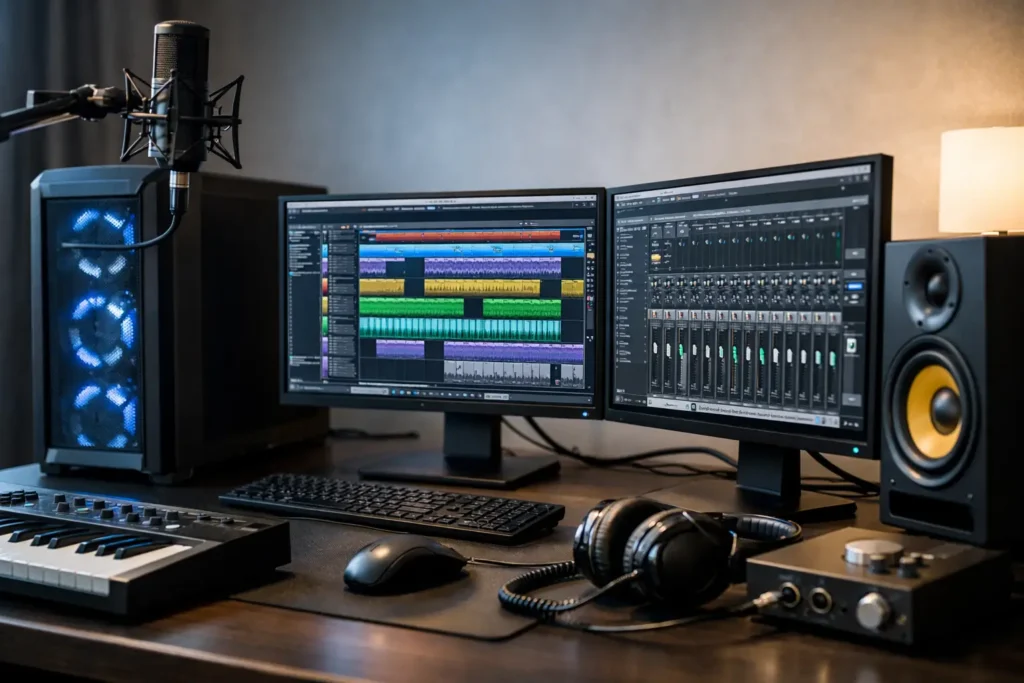
A bad studio computer usually reveals itself at the worst possible moment – when the vocalist is ready, the buffer is low, and Cubase starts throwing clicks, pops, or CPU spikes. Choosing the right pc for cubase recording is not about chasing the biggest spec sheet. It is about building a system that stays stable under real session pressure, handles low-latency tracking, and keeps up as your projects get heavier.
Cubase can be demanding in a very specific way. It is not just recording audio tracks. It is monitoring through plugins, running virtual instruments, managing sample libraries, streaming data from storage, and coordinating with your interface driver in real time. That means the best computer for Cubase is the one designed around audio workflow first, not a generic gaming or office machine repurposed for the studio.
What a pc for Cubase recording really needs
For recording, the biggest priority is consistent low-latency performance. That depends heavily on CPU behavior, motherboard stability, RAM capacity, drive configuration, and how well the system is optimized for audio. Cubase benefits from strong single-core performance for live tracking and responsive playback, but it also uses multiple cores well once projects become dense with instruments, editing, and mix processing.
This is where many off-the-shelf PCs miss the mark. A machine can look powerful on paper and still struggle in a DAW if it uses parts with poor driver behavior, noisy cooling, limited expansion, or storage layouts that bottleneck sample streaming. In a recording environment, predictable performance matters more than headline specs.
CPU: where recording performance starts
The processor has the biggest influence on how a system feels in Cubase. During tracking, especially at lower buffer sizes, you want a CPU with strong per-core performance so monitored inputs, amp sims, vocal chains, and software instruments respond without lag. During editing and mixing, more cores help distribute plugin loads and larger arrangements.
There is a balance to strike here. If your work is mostly singer-songwriter sessions, overdubs, podcast production, and moderate mixes, a modern mid-to-high range CPU is often more than enough. If you are building orchestral templates, running heavy synth sessions, or mixing dense projects with large plugin chains, stepping into a higher core count processor makes sense.
What matters most is not simply buying the most expensive chip available. It is choosing a processor that matches your workflow and is paired with a motherboard and cooling system that can maintain reliable performance without excess fan noise.
RAM: enough headroom for modern sessions
Cubase itself is efficient, but modern production is not. Kontakt libraries, drum instruments, orchestral templates, and layered synth sessions can consume memory quickly. For basic audio tracking and editing, 16GB may still function, but it leaves little room for growth. For most serious Cubase users, 32GB is a better baseline.
If your sessions include larger sample instruments, film scoring work, or hybrid composing and mixing, 64GB gives you more breathing room. The goal is not just loading a project once. The goal is working fluidly through revisions, alternate versions, and larger arrangements without memory pressure affecting the session.
Storage for Cubase sessions and sample libraries
Fast storage changes the experience of using Cubase more than many people expect. A proper drive layout improves boot times, project load times, sample streaming, and overall responsiveness. For a professional setup, separate roles for system, project, and sample storage are often worth it.
An NVMe SSD for Windows and applications keeps the machine responsive. A second fast SSD for active projects and recording sessions helps with track counts and session management. If you use large libraries, a dedicated sample drive can prevent those reads from competing with active recording and editing tasks.
This is especially important in hybrid workflows where Cubase sessions include virtual drums, orchestral libraries, synth layers, and video playback. One large drive can work, but separate storage usually delivers smoother real-world performance and easier project organization.
Quiet operation matters more than people think
A pc for cubase recording should not sound like it is preparing for takeoff in the control room. Fan noise gets old quickly, and in smaller spaces it can become part of the recording problem. Quiet operation is not a luxury feature for audio production. It is part of a usable studio environment.
That means paying attention to case airflow, fan quality, cooler design, and power delivery. A well-built DAW system should stay cool without constantly ramping up noise under load. This is another area where studio-focused machines stand apart from generic consumer builds. The right cooling solution supports both performance and concentration.
Why audio interfaces and drivers matter as much as the PC
Even a powerful computer can feel unstable in Cubase if the audio interface or driver stack is the weak link. Low-latency recording depends on the interaction between the computer, interface driver, USB or Thunderbolt implementation, and the session itself. If one part of that chain is not cooperating, you will feel it in dropouts, crackles, and inconsistent buffer performance.
This is why compatibility testing matters. Some systems look excellent from a hardware standpoint but become unpredictable once real audio peripherals are connected. Interfaces, control surfaces, DSP devices, and plugin ecosystems all place different demands on the machine.
A well-designed production computer is not just assembled. It is selected and configured with these interactions in mind. That reduces the trial-and-error that wastes session time.
Desktop or laptop for Cubase?
It depends on where and how you work. A desktop is usually the better choice for a fixed studio because it offers better cooling, quieter operation, easier expansion, and more flexibility for additional drives and PCIe hardware. If your Cubase work includes regular tracking, mixing, and long production days in one location, a desktop gives you the most performance headroom for the money.
A laptop makes sense if you are mobile, producing in multiple rooms, traveling between studios, or recording on location. The trade-off is that mobile systems have tighter thermal limits and fewer expansion options. A properly configured production laptop can still perform extremely well, but the margin for poor component choices is smaller.
For many professionals, the real question is not which is universally better. It is which one fits the way sessions actually happen in your workflow.
Common mistakes when buying a PC for Cubase recording
The most common mistake is buying for marketing specs instead of DAW behavior. RGB lighting, gaming branding, and aggressive turbo claims do not tell you how a system will behave at a 64-sample buffer during a vocal session.
Another mistake is underestimating storage and RAM needs. A computer that feels adequate on day one can become restrictive very quickly once your template grows, your plugin library expands, and clients expect faster turnaround.
Noise is also often overlooked. Many users focus on processor choice and forget that poor cooling design can make an otherwise fast computer frustrating in a studio. Then there is compatibility. Building around random parts can work, but it can also introduce motherboard quirks, driver conflicts, and USB behavior that only show up after hours of troubleshooting.
A practical spec range for most Cubase users
If you are shopping for a serious Cubase machine, a modern multi-core CPU with strong single-core speed, 32GB of RAM, and fast NVMe SSD storage is a solid starting point. For more demanding composers, mixers, and producers, 64GB of RAM and expanded dedicated storage become increasingly valuable.
From there, the right configuration depends on your session type. Audio-only recording with moderate plugin use has different demands than electronic production with heavy virtual instruments. Post production and scoring add another layer with video playback, large templates, and stricter deadline pressure.
That is why workflow-based system design matters. A recording-focused system should be tuned differently than a mix-heavy or composition-heavy system, even if all three run Cubase.
Why purpose-built systems make sense
For professionals, the real cost of the wrong computer is not just the purchase price. It is interrupted sessions, lost time, unstable drivers, and the mental overhead of managing a machine that was never truly configured for audio production. A purpose-built DAW system removes much of that risk.
That is where a specialist builder like PCAudioLabs fits naturally. The value is not simply access to parts. It is getting a Windows system engineered around real production workflows, tested for compatibility, optimized for low-latency performance, and backed by people who understand what Cubase users actually need from a studio computer.
Cubase is capable of handling everything from clean multitrack recording to dense production and orchestral work. The right PC lets the software stay out of your way. When the system is chosen well, you stop thinking about buffers, spikes, and workarounds, and get back to what the session actually needs.