
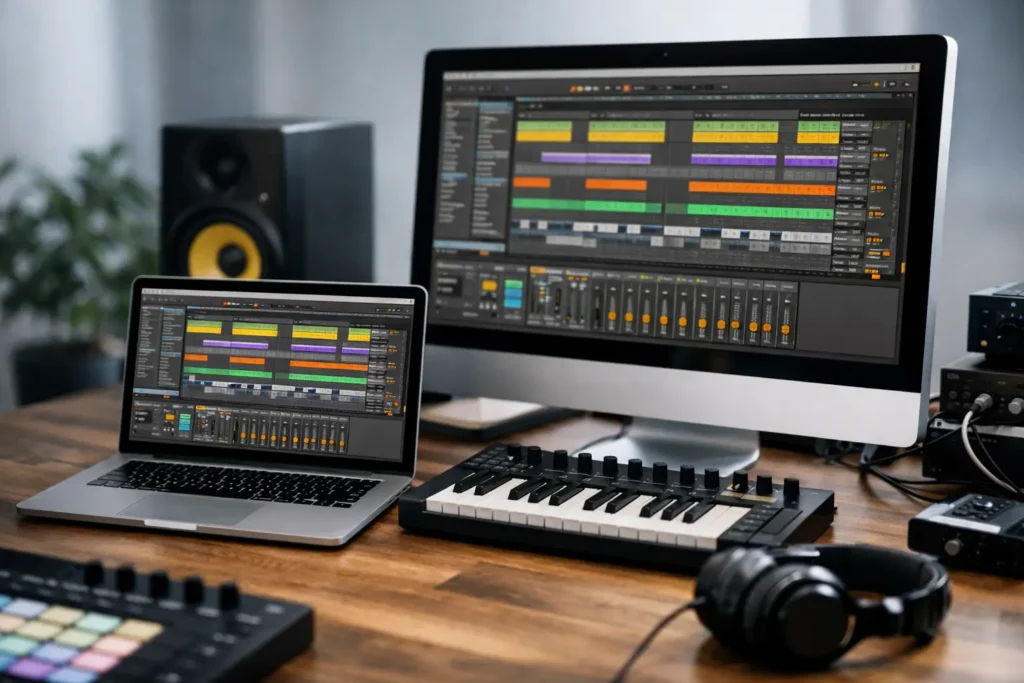
A good Ableton session tells you exactly what kind of machine you need. If your projects stay at 20 tracks with a few stock devices, almost any recent system can get by. If you are running large sample libraries, recording at low buffer sizes, stacking synths, and mixing with heavy plugin chains, the wrong computer for Ableton Live becomes obvious fast – clicks, dropouts, long load times, and a workflow that keeps getting interrupted.
Ableton Live is forgiving in some ways and demanding in others. It can run well on a wide range of hardware, but that does not mean every modern computer is a good production machine. For serious work, the goal is not just to launch the software. The goal is to stay stable under pressure, keep latency low when tracking, and leave enough headroom for creative decisions instead of technical compromises.
What Ableton Live really needs from a computer
Ableton Live responds especially well to strong CPU performance, fast storage, and enough memory to keep instruments and samples available without constant disk pressure. That sounds simple, but the details matter.
The processor is usually the first priority. Live relies heavily on CPU performance because soft synths, effects, time-based processing, warping, and real-time playback all lean on it. A faster processor gives you more plugin headroom and better low-latency performance when recording or playing virtual instruments. Core count matters too, but not in a simplistic more-is-better way. Live can benefit from multiple cores, especially in larger arrangements, but single-core speed still plays a major role in how responsive a session feels.
Memory is next. If your work is mostly audio tracks, moderate RAM may be enough. If you produce with Kontakt libraries, orchestral templates, layered instruments, or large sample collections, memory becomes a major factor. Running out of RAM forces the system to rely more heavily on storage, and even with fast SSDs that is not where you want your session to live.
Storage is often underestimated. A slow drive can make a powerful machine feel mediocre. Fast NVMe SSD storage improves project load times, sample streaming, and general responsiveness. It also helps when you are working across multiple applications, exporting stems, or managing large libraries.
Choosing a computer for Ableton Live by workflow
The best computer for Ableton Live depends less on broad consumer specs and more on how you actually produce.
If you are a beatmaker or electronic producer working mostly in the box, the CPU usually carries the most weight. Software instruments, oversampling, real-time effects, and mastering plugins can push processing hard, especially when you want to keep latency low while recording ideas. In that case, a modern high-performance CPU, 32GB of RAM, and at least one fast NVMe SSD is a strong baseline.
If you are a composer using large sample libraries, RAM and storage move higher on the list. A machine with 64GB of RAM and multiple SSDs can make a dramatic difference in load times and session stability. One drive for the OS and applications, another for active sessions, and another for sample libraries is often a better production layout than putting everything on a single large drive.
If you are tracking bands or recording vocals through plugins, low-latency performance becomes critical. That is where system optimization and component compatibility matter just as much as raw specs. A computer can look powerful on paper and still perform poorly in a studio if background processes, thermal throttling, poor driver behavior, or noisy cooling undermine real-time audio performance.
CPU matters most, but not all CPUs behave the same
For Ableton Live, the processor is the center of the build. You want a CPU that combines strong single-core speed with enough multi-core performance to handle larger sessions gracefully. That usually means looking at current-generation Intel Core Ultra or high-end Intel Core i7/i9 class processors, as well as AMD Ryzen 7 or Ryzen 9 options depending on the system design and compatibility goals.
The trade-off is heat and power. Very high-performance CPUs can deliver excellent results, but only if the cooling and motherboard design let them sustain that performance quietly and reliably. In audio production, that matters. A processor that benchmarks well for a few minutes but throttles under a real session is not helping you. Neither is a system that sounds like a small vacuum cleaner during vocal tracking.
That is why workstation design matters more than spec-sheet marketing. The right CPU in the wrong chassis can still be the wrong machine.
How much RAM is enough for Ableton Live?
For lighter production, 16GB can still function. For professional use, 32GB is the practical starting point. That gives you room for modern sessions, plugin-heavy arrangements, and multitasking without squeezing the system.
For larger sample-based setups, 64GB is often the better choice. If your work involves orchestral libraries, film scoring templates, layered percussion instruments, or extensive sound design, extra RAM is not a luxury. It reduces loading friction and keeps your machine responsive when the session grows.
There is no prize for buying more memory than your workflow can use, but there is real cost to buying too little and hitting a wall mid-project.
Storage layout makes a bigger difference than many producers expect
A single fast SSD is workable. A multi-drive setup is better.
For most professional users, the cleanest configuration is an SSD for Windows and applications, a second SSD for current projects and audio files, and a third SSD for sample libraries if your library footprint is large. That separation helps with organization, performance, and long-term maintenance.
Capacity matters too. Ableton projects themselves may not always be huge, but sample libraries, archived sessions, rendered stems, and video assets add up quickly. Running close to full storage can hurt performance and create unnecessary file management headaches. Buying enough room from the start is usually cheaper than constantly juggling drives later.
Why audio interface compatibility and system tuning matter
A computer for Ableton Live is only part of the signal chain. Your audio interface, drivers, USB or Thunderbolt implementation, plugin ecosystem, and Windows configuration all affect performance.
This is where many off-the-shelf consumer systems fall short. They are designed for broad use, not for low-latency audio. That does not mean they cannot run Ableton. It means they are less likely to be validated around DAW workflows, interface behavior, DPC latency, and studio-friendly operation.
Purpose-built audio systems are different because the hardware choices are made with production use in mind. That includes motherboard selection, chipset stability, quiet cooling, power delivery, tested storage, and a Windows environment configured for audio work instead of generic consumer defaults. For professionals, that translates into fewer interruptions and less time spent diagnosing problems that should never have reached the studio in the first place.
Desktop or laptop for Ableton Live?
If your studio is fixed and performance is the priority, a desktop is usually the better long-term choice. You get more thermal headroom, quieter cooling, easier expansion, and stronger sustained performance for the money. Desktops also make more sense if you plan to add storage, increase RAM later, or integrate the machine into a dedicated production room.
A laptop makes sense if mobility is part of the job – remote sessions, touring, writing on the road, or moving between rooms. The trade-off is that portability narrows thermal and power margins. A well-designed production laptop can still perform extremely well, but it needs to be selected with more care than a generic retail machine aimed at everyday users.
What to avoid when buying the best computer for Ableton Live
The most common mistake is buying on marketing language instead of production needs. Gaming branding, flashy GPU specs, and exaggerated turbo numbers do not tell you much about DAW stability. Ableton Live usually does not need a high-end graphics card unless your workflow also includes substantial video or visual work.
Another mistake is underestimating noise. Quiet operation matters in real recording environments, especially for voice, acoustic instruments, and critical listening. A machine that performs well but raises the room noise floor is a studio compromise.
The third mistake is assuming setup does not matter. Even strong hardware can disappoint if the BIOS, drivers, cooling profile, power settings, and device compatibility have not been considered for audio use. That is one reason specialized builders like PCAudioLabs focus on tested configurations rather than generic one-size-fits-all machines.
A practical baseline for serious producers
If you want a reliable starting point, think in tiers. For moderate Ableton work, a current mid-to-high performance CPU, 32GB RAM, and fast NVMe storage is a strong foundation. For heavier sessions with complex instruments and larger mixes, step up to a higher-tier CPU, 64GB RAM, and a multi-drive SSD layout. If low-latency recording is part of your daily workflow, make sure the machine is designed and tuned for real-time audio, not just general computing.
The right system should feel invisible. You should be thinking about arrangement, sound selection, and performance – not buffer errors, fan noise, or whether opening one more plugin will break the session. That is the standard worth buying for, because a production computer should protect your momentum, not test your patience.