
Choosing a PC for Steinberg Cubase
Choosing a PC for Steinberg Cubase: A handy guide from PCAudioLabs
If you’re looking for help choosing a PC for Steinberg Cubase, we've got you!
Do you produce music in Cubase? Do you value your time? If your answer is yes, you need a high-end PC that will meet your demanding needs and those of Steinberg Cubase.
What do you need to know when choosing a PC for Steinberg Cubase?
Steinberg Cubase is one of the world's most popular Digital Audio Workstations (also known as a DAW). Steinberg Cubase is very popular with Composers and Music Producers because of its powerful tools for working with MIDI and audio editing.
It is also a demanding software application that requires a PC that can handle CPU-intensive workloads for recording, mixing, and mastering music.
It's important to note that when choosing a PC for Steinberg Cubase, the PC should exceed the hardware requirements of Steinberg Cubase.
If the PC that you choose for Steinberg Cubase only meets the Steinberg Cubase minimum hardware requirements, it may not be able to keep up with the workload that you impose upon it for music production and composition.
Most PCs that you can purchase from big-box PC builders may only barely meet the hardware requirements for Steinberg Cubase. They are especially underpowered in the CPU category, which is detrimental to your music production workflow.
Building your own PC for Steinberg Cubase can be problematic, as well -- if you choose the wrong components and parts for a PC for Steinberg Cubase, you may not choose the right parts, leading to issues with your Steinberg Cubase workflow. We can't tell you how many times someone has called and started the conversation by saying:
"I read a bunch of stuff on the Internet that told me I needed these parts for a PC for Steinberg Cubase. I bought them, and built the PC, and now Cubase doesn't run any better than it did before."
The fact is that building your own PC for Cubase based off of specs you read on the Internet doesn't always work, and that means you didn't save money.
Your time is money, regardless of if you produce music professionally, or as a hobby. You want to get done what you need to get done, and you're not going to be able to do that if you're wasting your time (and therefore, money) troubleshooting a self-built PC that doesn't work for Steinberg Cubase.
That means that working with a Pro Audio PC builder like PCAudioLabs to choose a PC for Steinberg Cubase not only saves you time, it also saves you money.
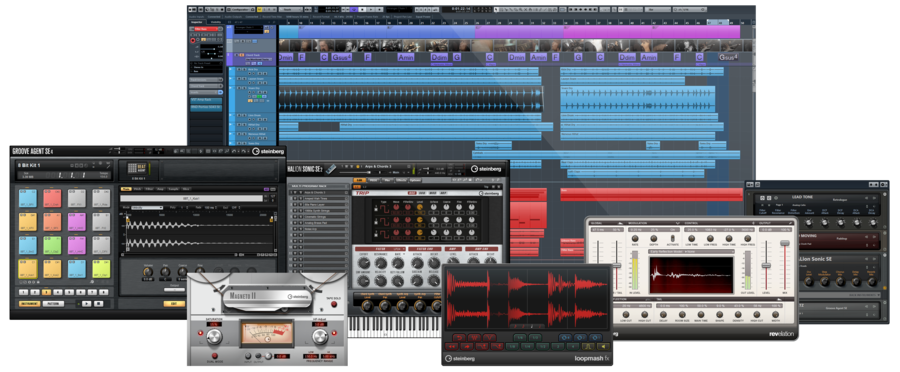
Three Reasons to Choose a PCAudioLabs Rok Box for Steinberg Cubase
- PCAudioLabs Rok Box Pro Audio PCs are specifically built for audio production in Steinberg Cubase, and its demanding requirements.
- Rok Box Pro Audio PCs are backed by real-life testing to ensure that the components used to build them are compatible with Steinberg Cubase.
- Rok Box Pro Audio PCs are supported by OBEDIA, the leader in pro audio hardware and Pro Audio software training and tech support.
What PC Components are most important when Choosing a PC for Steinberg Cubase?
It's very important to choose the right PC components when choosing a PC for Steinberg Cubase.
Using an off-the-shelf PC from your local big-box retail store or the like, you may find that you're unable to properly run Steinberg Cubase, especially if you plan on using plugin-heavy workloads, composing music using virtual instruments, or mixing multiple tracks at once.
Did you know? Steinberg Cubase utilizes an engine called VST Expression, which allows you to utilize multi-articulation in sample libraries, specifically those that are for orchestral sample libraries (such as strings, horns, and the like).
Did you also know that utilizing VST Expression can be very process-intensive on your PC's CPU? That means you need to make the right choice when integrating a CPU into your PC for Steinberg Cubase.
When you choose a PCAudioLabs Rok Box Pro Audio PC for Steinberg Cubase, you will get a PC that is specifically specified for Steinberg Cubase, as well as support to back you up if you have questions from OBEDIA, the leader in digital audio hardware and software training & tech support. You don't get that with other PC manufacturers.
The components that are most important when choosing a PC for Steinberg Cubase are:
- CPU: The Central Processing Unit (CPU) is the most important component when choosing a PC for Steinberg Cubase. An Intel or AMD 8-core and above CPU is best for Steinberg Cubase, and we would recommend a 12-core and up CPU. An underpowered CPU will lead to unwanted dropouts in audio production, recording, mixing and mastering music. The CPU that you choose should plan for where your workflow is in the present time, but also where you may go down the road. Therefore, it's best to dedicate the bulk of your budget to the CPU when choosing a PC for Steinberg Cubase.
- RAM: Random Access Memory is important when choosing a PC for Steinberg Cubase. RAM is where your PC, Cubase, and your Operating System store temporary data for your virtual instruments, plugins, and other components important for music production in Cubase. 16GB of RAM is a good starting point, but you'll likely want to upgrade your RAM in order to keep up with demanding workloads. We suggest 32GB-64GB of RAM, especially for workflows that will utilize many virtual instruments.
- Storage and Motherboard: Most off-the-shelf PCs do not offer a lot of storage in the PC, and you may find that upgrading your storage is difficult in a PC that's not built for Steinberg Cubase. If that is the case, you may find yourself using a USB hard drive to store your Cubase sessions -- don't do this! Using a USB hard drive to store your Cubase sessions is not recommended, because a USB hard drive may be incapable of keeping up with the quick read and write times needed for Cubase. PCAudioLabs Rok Box Pro Audio PCs are built with fast internal storage using Solid State Drives (SSDs), which ensure that your Steinberg Cubase data is quickly written to and read from disk. The motherboard is of distinct importance as well; many off-the-shelf PCs use proprietary motherboard components which can cause issues with Cubase and pro audio hardware. Connectivity (such as USB ports, Thunderbolt ports, monitor outputs, and the like) is very important. Motherboards which use firmware (the motherboard's internal operating system) which are built using proprietary software may not be compatible, leading to a stalled workflow.
Why Choosing a PC for Steinberg Cubase is easier with PCAudioLabs
Simply put, choosing a PC for Steinberg Cubase is easier with PCAudioLabs because you can ask specific questions about your new PC and get answers from our team, who understands the needs of running Steinberg Cubase on a PC.
When you go to a big box store, or simply purchase a PC from Amazon, hoping that it will work for Steinberg Cubase, you cannot know with certainty that the PC will be able to keep up with your Cubase workflow.
In contrast, when you choose a PCAudioLabs Rok Box Pro Audio PC, you can be sure that the PC you are getting is great for Steinberg Cubase. The hardware and components built into Rok Box Pro Audio PCs is chosen and tested specifically for Steinberg Cubase and pro audio hardware.
Did you know? PCAudioLabs PCs have been used by Steinberg to showcase Steinberg Cubase at the NAMM show in California!
When you purchase a pro audio PC from PCAudioLabs, you can speak via phone with a real person who can help you when choosing the best PC for Steinberg Cubase. Our team understands the needs of Cubase and pro audio hardware and software to ensure that you get a great experience with Cubase.
Our Windows operating system installations are optimized for Steinberg Cubase. There are no additional applications, trial applications, or bloatware installed on your PC, all of which can slow your Cubase workflow when using PCs not optimized for music production.
Best of all, you'll know that you are backed by the best support in the industry for not only your PC, but for Pro Tools and pro audio hardware and software. Our support is 100% US-based, and our technicians understand pro audio hardware and software. Other PC builders and manufacturers do not, and you won't ever get them on the phone to ask questions about how to run Cubase on your PC.
To speak with a pro audio professional for help choosing a PC for Pro Tools feel free to contact us, we're happy to help! You may call 615-933-6775 and dial option 2, then 1 to speak with us. PCAudioLabs is open Monday - Friday from 10am to 6pm CST.
Happy music making!
FAQ – Choosing a PC for Steinberg Cubase
Browse PCAudioLabs Pro Audio PCs for Steinberg Cubase

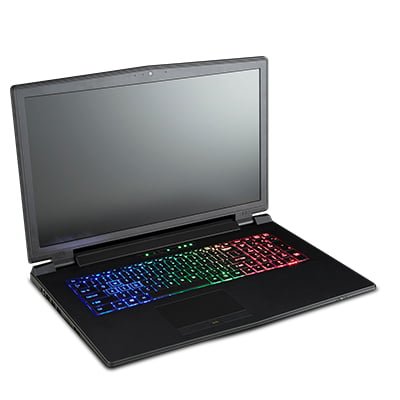
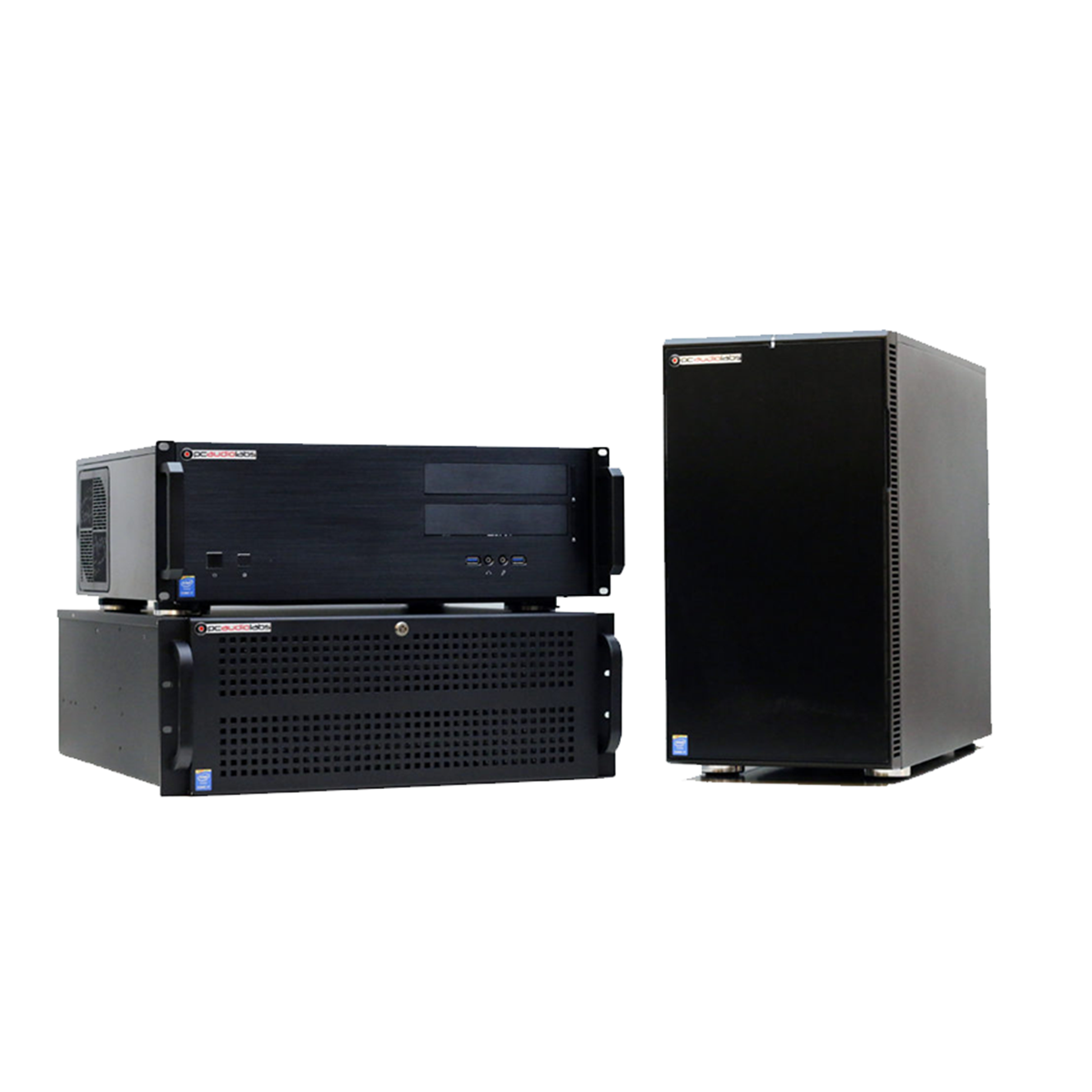
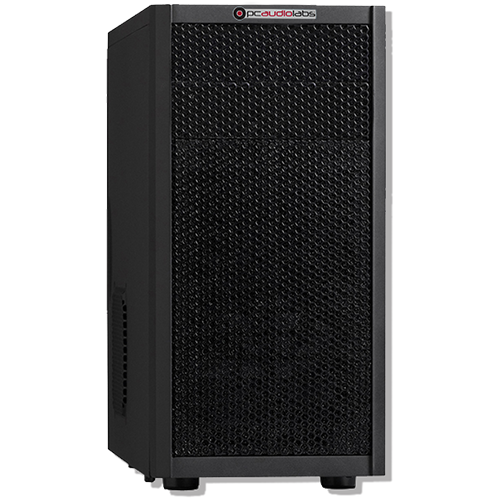
PCAudioLabs selects and configures the best components available to make sure you can achieve your creative goals.
We thoroughly bench-test and optimize each system to ensure you are getting every ounce of power available for your production. Our depth of services and support is unparalleled.
Since 2000, we have focused on the details, so you can focus on your craft.
Tuned for Performance
We say it and we mean it. Over 200 Tweaks applied to your custom windows installation that will unlock the power of your system for music production. Your computer's firmware will be optimized to your needs, overclocked if you wish, and fine-tuned to give you great performance. Get up to an 80% improvement in performance over off-the-shelf PCs.
Experience Counts
Since 2000, PCAL computers have been built specifically for Audio and Video editing by our team of experts. We select and test each component to ensure that it will meet the demands of your production and sound editing, sound mixing and sound design. Each computer is assembled with a focus on performance, noise reduction, proper airflow and durability. Then it is put through a series of burn in test and Quality Control ensuring your system arrives ready to Rock!
Rest Easy
Your PCAL computer is covered for as long as you have it with our top-notch phone and email support. If you ever have an issue, your PCAL technician is here to help!
Powered by OBEDIA
No one else in the industry offers our OBEDIA support and training with your computer. Need to learn that new EQ Plugin? Want to learn more about mixing? Call us and you'll be connected with an OBEDIA technician who will work with you, one on one, to train you in using your new hardware and software.
Ready to Purchase?
Ensure Flawless Operation
Don't waste your time searching for the latest drivers and updates. Let PCAudioLabs install them for you. Get three free installs then $25 per additional. Large Sound Libraries are $25 hour per install. Use the Request Customized Quote to let us know your setup or call for details.
The PCAudioLabs Difference
Testimonials
I recorded with my old pc for several years and could never get through a session without audio drop outs, glitches, etc.. I now have had several long sessions with your PC and it's been absolutely flawless, a real dream come true for me and my recording buddies. Thanks again for a great product and wonderful support. - Tom P - Indianapolis, IN
PCAudioLabs is the best place to purchase a DAW computer hands down! I compared several DAW PC builders and decided on PCAudioLabs. I'm glad I did. I've been enjoying my new system for a few weeks now and must say it's everything I wanted and more! - Mack J - Charlotte, NC
I have lived with my Rok Box for over two years and have been impressed with its performance and reliability. I would certainly replace it with another when that time comes. I spend more time on creativity and less on the technical stuff. - Paul Dreifus - Madison, WI
When planning to upgrade w/new computer & software, I looked extensively into every company providing such services. PCAudioLabs excelled in every aspect hands down, from the very best website to completion & cust. service. Thanx for being so helpful! - Michael E - Newark, DE

Why Choose PCAudioLabs
Through years of working closely with the Grammy-winning producers, engineers, musicians, sound designers, post production professionals, composers and DJs, PCAudioLabs have built a pristine reputation of delivering the power, stability and support necessary to facilitate the world's leading productions. Chances are, if you've heard it or seen it, PCAudioLabs and OBEDIA helped make it happen.
Designed for Work Flow
Rest assured, the Rok Box MC series is designed to accommodate many types of music software, music hardware and music creation. From multitrack recording to MIDI programming, MIDI editing to sample library streaming over a network, we've tried it all and can report that. Convert an audio track to MIDI, yes it works well! Never stop the creative flow.

Purpose Built for Pro Tools
ROK BOX PCs are optimized to give you maximum performance with any version of Pro Tools. Bring your creative inspiration to life!