
Summary
Choosing between a desktop and laptop for audio recording depends on how and where you work. This guide compares the strengths of each, covering performance, portability, noise levels, expandability, connectivity, and long-term reliability. Learn which option best fits your recording workflow—whether you're building a dedicated studio or producing music on the go—and how the right computer can deliver stable, low-latency performance without interrupting your creative process.
A session rarely fails because a computer looked underpowered on a spec sheet. It fails when the DAW throws buffer errors during a take, an interface disconnects after an update, or a fan becomes part of the room tone. Desktop vs laptop recording is therefore not a simple portability question. It is a workflow decision that affects latency, acoustics, expandability, recovery options, and how confidently you can work when clients are waiting.
For many producers, either form factor can be the right answer. The better choice depends on where recording happens, how large projects become, which peripherals stay connected, and whether the machine must earn its place in a quiet control room every day.
Desktop vs Laptop Recording: Start With the Work
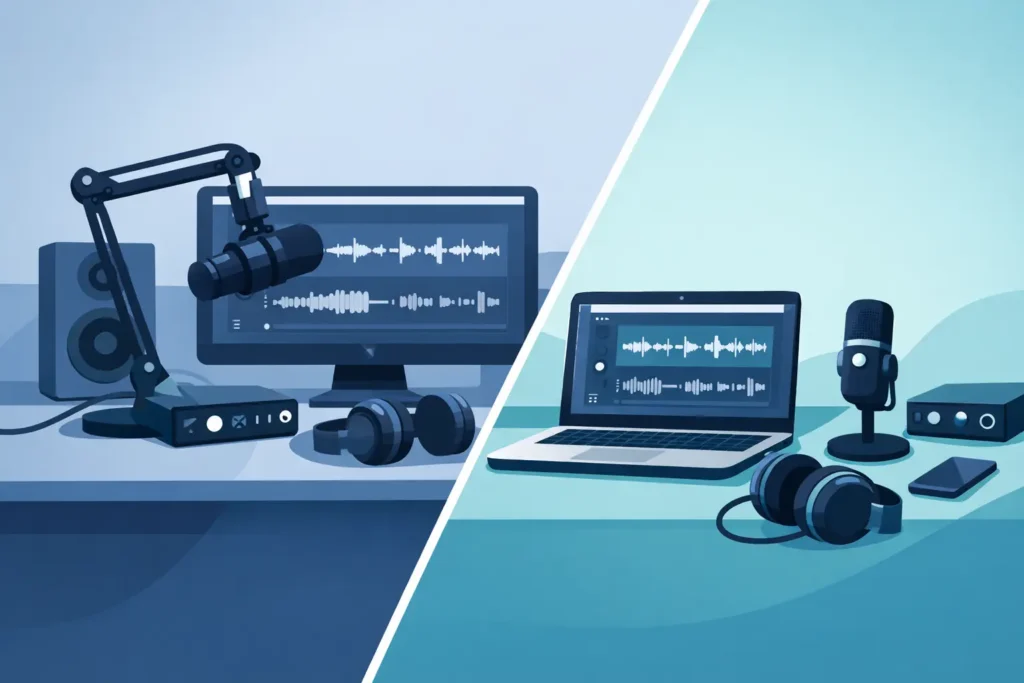
A desktop is usually the stronger fit for a fixed studio where recording, editing, mixing, and delivery all happen in one place. A well-configured tower has more physical room for a high-performance processor, substantial memory, multiple internal drives, quieter cooling, and expansion cards. That capacity matters when a session grows from a few vocal tracks into a dense production with virtual instruments, sample libraries, processing chains, video reference, and multiple displays.
A laptop earns its place when the studio has to travel. Location recording, writing sessions, live capture, post-production on set, and work between home and commercial rooms all favor a system that can be packed, carried, and set up quickly. The laptop is not automatically a compromise. A properly specified production laptop can handle serious tracking, editing, and mixing work. The trade-off is that its resources, cooling, ports, and upgrade paths are more constrained.
The key question is not, “Can a laptop run my DAW?” Most current professional laptops can. Ask instead: “What must this machine do at the busiest point of my normal project, and where must it do it?” That answer is more useful than comparing processor names alone.
Processing Headroom Is About Session Margin
Audio applications can put different kinds of pressure on a computer. Recording at a low buffer size stresses real-time performance. Mixing can stress total processing capacity as tracks and plug-ins accumulate. Composition may place unusually heavy demands on memory and storage when large orchestral or sound-design libraries are loaded.
Desktops generally offer more sustained processing headroom because larger chassis can dissipate heat more effectively. That does not mean every desktop is faster than every laptop. Configuration matters. But under long, demanding loads, a tower has more room to maintain performance without relying on aggressive thermal management.
This margin is valuable in real sessions. If a producer is recording through a virtual amp chain, pitch correction, cue mixes, and a few software instruments at a 64- or 128-sample buffer, there is little value in a machine that only works after tracks are frozen or plug-ins are bypassed. Extra headroom protects the creative flow when an arrangement changes or a client asks for one more sound.
For laptop recording, planning matters even more. Choose a configuration that fits the real project rather than the smallest project you can imagine. Memory is especially difficult to underestimate when using sample libraries, video assets, browser-based collaboration tools, and a DAW at the same time. Storage also needs room for active sessions, caches, sound libraries, and reliable backup practices.
Quiet Operation Matters More Than Benchmark Scores
A computer can be fast and still be wrong for a recording room. Fan noise is a practical concern for vocal booths, acoustic instruments, voice-over work, podcast production, and any microphone placed near the workstation. Small microphones and high-gain sources can reveal noise that seemed harmless while editing on speakers.
A desktop gives builders more options to manage acoustics through case design, fan selection, airflow planning, and component placement. The goal is not simply to make a computer quiet while idle. It is to keep it controlled when the system is working through a dense mix, rendering video, or running a high track count.
Laptops are more variable. During light editing, many are quiet enough for practical work. During long sessions or high processor loads, compact cooling systems may become audible. This is manageable when the laptop can sit outside the recording area, on a side table away from microphones, or in a separate control space. It is less ideal when the same laptop must sit beside a narrator or performer.
If silence is mission-critical, consider placement as part of the purchase decision. A quiet desktop located thoughtfully is often easier to live with than a powerful laptop working hard a few feet from an open condenser microphone.
Ports, Storage, and Expansion Shape the Studio
Production computers become the center of an ecosystem. Audio interfaces, MIDI controllers, control surfaces, external drives, video monitors, capture devices, license keys, network storage, and backup drives all compete for dependable connections. A system with enough ports today can still become restrictive after one interface change or additional display.
Desktops are better positioned for permanent, peripheral-heavy rooms. They can support additional internal storage for projects and libraries, dedicated expansion where needed, and a more organized cable layout. They also make it easier to add capacity over time rather than replacing the entire computer. For studios managing large session archives or multiple high-resolution video projects, this flexibility has real operational value.
Laptops rely more heavily on external storage and docking. That can work extremely well, but it adds decisions: which ports are available, whether the dock shares bandwidth, how drives are powered, and what must be connected before a session begins. A disciplined setup avoids surprises. Use qualified connections, leave adequate storage overhead, and test the complete chain at the buffer sizes you actually use.
For mobile creators, external drives are often a sensible trade. For a fixed room, internal storage and native connectivity can reduce clutter and reduce the number of potential failure points.
Reliability Is a System, Not a Form Factor
Neither a desktop nor a laptop is inherently reliable just because it is expensive. Reliability comes from matching components to the workload, testing hardware and drivers together, controlling unnecessary background software, and keeping a repeatable backup plan.
This is where purpose-built production systems differ from consumer machines selected primarily for office work or gaming. A recording workstation must coexist with low-latency audio drivers, DAW versions, plug-in ecosystems, interface firmware, and sometimes demanding video tools. A configuration that performs well in a general benchmark can still behave poorly under real-time audio pressure.
A custom system builder such as PCAudioLabs evaluates these requirements as a complete workstation rather than a collection of unrelated specifications. That approach is particularly useful for creators who need guidance on memory capacity, drive layout, interface compatibility, quiet operation, and the balance between mobile and fixed-studio use.
Laptops also require a few extra operational habits. Keep the power supply available for important sessions, prevent sleep settings from interrupting external devices, and avoid assuming every public Wi-Fi or unfamiliar USB device belongs in a recording setup. A desktop avoids some of those mobile variables, but it still benefits from the same disciplined maintenance and backup routine.
When a Desktop Is the Better Recording Choice
Choose a desktop when the computer will live in one control room, your sessions regularly use large plug-in counts or virtual instruments, or you need several drives and peripherals attached at once. It is also the practical choice when quiet operation, long-term expansion, and sustained performance are more valuable than carrying the system between locations.
A desktop is particularly compelling for mix engineers, composers with large sample libraries, video editors working with demanding timelines, and studio operators who need a dependable hub for many connected devices. The larger physical footprint is a small cost when it prevents daily compromises in performance, noise, or connectivity.
When a Laptop Is the Better Recording Choice
Choose a laptop when your work moves. Engineers capturing sessions at venues, producers who collaborate in different rooms, and content creators who edit and deliver away from a main studio benefit from an all-in-one system with its display and battery built in.
The strongest laptop workflow often includes a home base: a dedicated interface, external display, qualified dock, reliable external storage, and a backup method that travels with the project. At the studio, the laptop functions like a full workstation. On location, it becomes the compact recording rig. This arrangement makes sense when mobility is central rather than occasional.
Avoid choosing a laptop solely because it occupies less desk space. If it never leaves the studio and routinely runs at its limits, a desktop may provide a calmer, quieter, more expandable path. Conversely, avoid buying a tower just for theoretical power if the work repeatedly happens in writing rooms, client locations, or on set.
The right recording computer should disappear into the session. Select the form factor that leaves you with enough processing margin, the connections your rig requires, and a support plan that keeps technical interruptions from becoming part of the production process.