
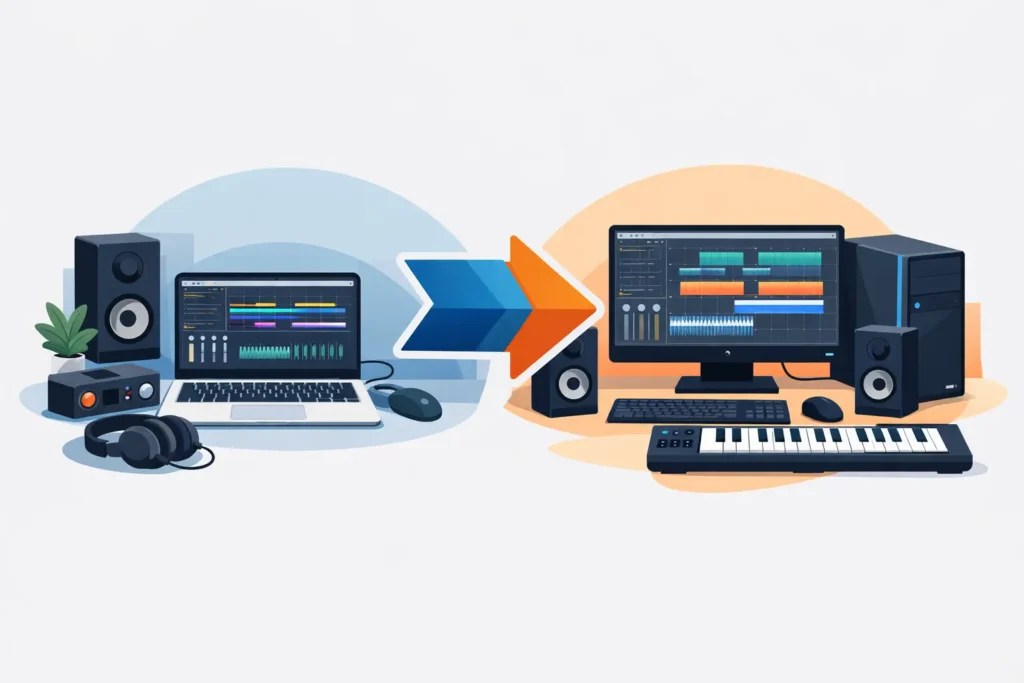
If you’re moving from Mac to PC for music production, the real question usually isn’t whether Windows can handle professional studio work. It can. The real question is whether your specific DAW, interface, plugin chain, and session habits will translate cleanly without slowing you down.
That matters because switching platforms in a production environment is never just about the computer. It’s about low buffer stability during tracking, plugin compatibility during mix recall, drive performance for large sample libraries, and whether your system stays quiet and dependable when a client is in the room. For producers and engineers who work on deadlines, the move has to improve workflow, not just change it.
Why producers are moving from Mac to PC for music production
For many users, the shift starts with practical pressure. You may need more processing headroom for virtual instruments, more internal storage options, better upgrade flexibility, or a machine dedicated to a specific studio workflow. On the Windows side, those needs can often be addressed with more configuration control than you get from a closed hardware ecosystem.
That does not mean a PC is automatically better for every producer. If your entire studio is built around Logic Pro, AirDrop-heavy file sharing, or a tightly Apple-centered workflow, there is friction to account for. But if your work lives in Pro Tools, Cubase, Studio One, Ableton Live, Reaper, FL Studio, or other cross-platform software, the transition is usually more straightforward than many expect.
The biggest advantage is not a logo swap. It is the ability to choose a system around your actual production load. A composer running dense orchestral templates has different requirements than a mix engineer with hundreds of plugin instances. A mobile producer needs different priorities than a fixed-room mastering setup. A well-configured Windows workstation lets those needs drive the build.
What actually changes when you leave macOS
The adjustment is less dramatic at the creative level than at the system level. Your DAW concepts stay the same. Signal flow stays the same. Good gain staging still matters, and a bad room still sounds bad. What changes is how the operating system handles hardware, drivers, updates, and deeper customization.
On macOS, much of the hardware stack is standardized. On Windows, flexibility is a strength, but only if the system is chosen carefully. That means the quality of the motherboard, USB implementation, cooling design, BIOS tuning, and driver support can affect audio performance in ways many users never had to think about before.
This is where some producers get the wrong impression. They try one off-the-shelf consumer PC, run into DPC latency, USB instability, fan noise, or inconsistent power management, and decide Windows is the problem. Usually, the problem is that the machine was not designed for real-time audio work.
Compatibility first, not raw specs
When moving from Mac to PC for music production, compatibility matters more than chasing the biggest benchmark number. A system can look powerful on paper and still be a poor fit for a studio if it struggles with interface drivers, sleep behavior, or sustained low-latency performance.
Start with your DAW and plugin ecosystem. Most major DAWs support both platforms, but project translation is not always perfect if you rely on platform-specific plugins or instruments. Logic Pro is the obvious exception because it does not exist on Windows. If you are leaving Logic, plan for session export, stem printing, or a staged migration into another DAW.
Plugins deserve a full audit before you switch. Check license managers, activation limits, installer support, and whether older products still receive Windows updates. Most modern plugin ecosystems work well on both platforms, but legacy tools can become the weak point in an otherwise clean migration.
Your audio interface is just as important. On Windows, driver quality has a direct effect on performance and stability. Some interfaces have excellent Windows support and low-latency results. Others work, but not especially well under demanding session conditions. Before changing platforms, confirm that your interface manufacturer has current, well-supported Windows drivers for your version of the operating system.
The performance upside of a purpose-built PC
A properly configured PC can be excellent for recording, editing, mixing, and composing. The key phrase is properly configured. In studio work, you are not just buying CPU speed. You are buying consistent behavior under pressure.
For tracking sessions, that means stable operation at low buffer settings with dependable driver performance. For mix and production work, it means enough CPU and memory headroom to handle larger sessions without random slowdowns. For sample-heavy composers, it means fast storage and enough RAM to keep template loading and articulation switching under control.
Noise also matters more than many buyers realize. A machine with aggressive consumer cooling can be distracting in a control room or vocal space. Quiet case design, quality fans, and thermals tuned for workstation use make a meaningful difference over long sessions.
This is one reason specialized audio workstations continue to matter. Builders that focus on DAW systems test around real production scenarios, not just general office or gaming usage. PCAudioLabs, for example, approaches Windows systems from the standpoint of audio reliability, compatibility, and session-ready performance rather than generic consumer specs.
Common pain points during the switch
The first pain point is usually muscle memory. Keyboard shortcuts, finder behavior, file paths, installer locations, and system settings will all feel different at first. That part passes quickly if the machine itself is stable.
The second pain point is overcomplication. Some users move to Windows and immediately start applying every online optimization tip they can find. That often creates more problems than it solves. Professional audio systems benefit from sensible tuning, but not every internet tweak is useful, and some are outdated.
The third pain point is assuming all PCs perform the same. They do not. Real-time audio is sensitive to hardware and firmware choices that do not always affect general computing tasks. A system intended for gaming or broad consumer use may not deliver the same behavior as one built and tested specifically for DAW workloads.
How to make the transition smooth
The smartest move is to treat the switch like a studio upgrade, not a casual computer replacement. Inventory your software, confirm plugin support, verify interface drivers, and decide which sessions need to be portable across both systems during the transition.
If you rely on old projects for client revisions, open representative sessions now and identify anything platform-specific. Print stems or freeze tracks where needed. For composers, map out where sample libraries will live and how much high-speed storage your template actually requires. For engineers, think through ports, monitor support, external drives, and backup strategy before the machine arrives.
It also helps to separate setup from production. Give yourself a short validation period before putting the new machine into a client-critical session. Install only what you need, test your DAW at realistic buffer sizes, run the interface through tracking and playback scenarios, and confirm that backup and restore workflows are working.
Should you switch at all?
It depends on what is pushing the decision. If your current Mac-based workflow is stable, fast enough, and fully aligned with your tools, there may be no urgent reason to move. Platform changes always carry some cost in time and adaptation.
But if you need more flexibility, more control over system design, better scalability for your workload, or a machine built specifically for demanding audio sessions, a Windows workstation can be a very strong move. The platform itself is not the risk. The risk is switching without planning around the details that matter in a studio.
The good news is that most of those details are knowable in advance. DAW support, plugin compatibility, driver quality, storage layout, RAM requirements, and acoustic behavior are all things you can evaluate before committing. When those pieces are aligned, the transition tends to feel less like starting over and more like removing limits.
A computer for music production should disappear into the background and let the session move. If moving off Mac helps you get there with more headroom, better expandability, and fewer compromises, it is a practical change worth taking seriously.