
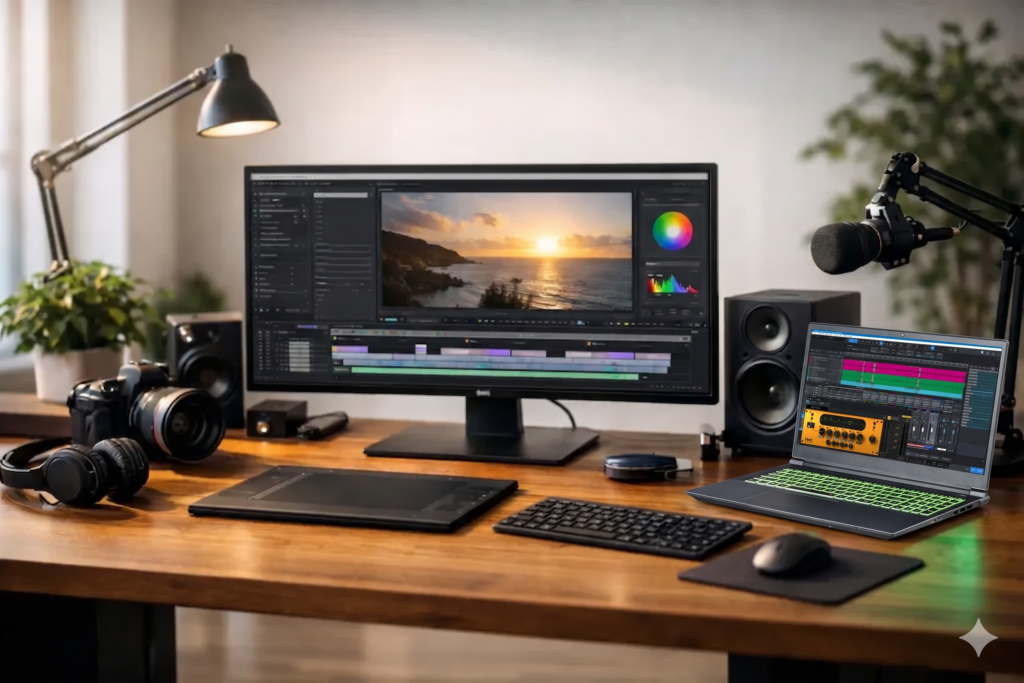
A deadline has a way of exposing weak hardware. The system that felt fast enough while browsing specs can turn into a bottleneck when you are tracking at low buffer sizes, grading footage, exporting a client cut, or running a session stacked with virtual instruments and effects. That is where a real content creation workstation earns its place.
For professional creators, the question is not whether a computer can launch your software. It is whether it can stay stable under sustained production load, keep latency under control, manage large assets without hesitation, and do it quietly enough to belong in a studio or edit suite. A workstation built for creative work is less about flashy parts lists and more about how those parts behave together in the exact workflows you rely on every day.
What a content creation workstation actually needs to do
A standard consumer PC is usually designed around broad appeal. It aims to look good on paper, run common apps well enough, and hit a price point. A content creation workstation is built around a narrower goal – dependable performance in demanding production environments.
That distinction matters because audio and video workloads are not all stressful in the same way. A music producer recording vocals through a DAW cares about low-latency responsiveness, interface compatibility, and quiet operation. A video editor may care more about timeline smoothness, codec handling, GPU acceleration, and fast storage throughput. Many content creators now do both, which means the system has to stay balanced rather than overbuilt in one area and weak in another.
A good workstation is not simply the most expensive machine you can configure. It is the system that matches CPU behavior, memory capacity, storage layout, thermal design, and connectivity to the software and peripherals that define your workflow.
CPU choice shapes the workflow more than most buyers expect
If there is one component that sets the tone for the entire system, it is the processor. But raw core count alone does not tell the whole story.
In audio production, single-core responsiveness still matters because many real-time tasks cannot be spread evenly across every core. Low-latency recording, virtual instrument performance, and complex plugin chains often depend on strong per-core performance as much as total thread count. More cores help when sessions get dense, but the wrong CPU balance can leave a system feeling less responsive than expected.
In video and mixed media work, additional cores can provide a more obvious payoff, especially for rendering, transcoding, and multitasking across multiple creative applications. Even then, it depends on the codecs, effects, and software in use. Some workflows lean heavily on the CPU, while others shift more of the load to the GPU.
This is why workstation design should start with the applications you actually run, not the benchmark that looks most impressive in isolation. The best CPU for a recording-heavy DAW rig may not be the same choice for a creator spending most of the day in Premiere Pro, Resolve, After Effects, or a hybrid workflow.
Memory and storage are workflow tools, not spec-sheet padding
Creators usually notice memory limitations only after the system starts slowing them down. Large sample libraries, high-resolution footage, layered timelines, and heavy multitasking can eat through RAM quickly. Once that happens, performance drops are not subtle.
For audio, memory matters most when your sessions depend on orchestral libraries, drum instruments, or large template-based production. For video, RAM becomes especially important when you are handling bigger timelines, motion graphics, and multiple open applications. Buying too little memory can make a fast processor feel underpowered.
Storage is just as important, but it needs to be structured correctly. One drive for everything can work in light-duty situations, yet professional production benefits from separation. Your operating system and applications should not be fighting with active sessions, media cache files, sample libraries, and exports on the same volume if avoidable.
A more thoughtful approach uses fast SSD storage strategically – one drive for the OS and software, another for project files or active media, and when needed, additional storage for libraries or archive work. That layout reduces contention and keeps the system more responsive under real production load.
Why quiet cooling and stable power matter in the studio
A loud machine can ruin a perfectly capable production setup. Fan noise may be a minor annoyance in a general office, but in a control room or vocal booth environment, it becomes part of the workflow. The same applies to thermal behavior. A system that boosts aggressively for short bursts but gets noisy or throttles during sustained work is not ideal for long sessions.
That is why workstation design has to account for acoustic performance as well as speed. Case selection, airflow planning, fan tuning, and power supply quality all affect how the system behaves over time. Quiet operation is not a luxury feature for creators. It is part of maintaining a usable production environment.
Stability also depends on power delivery and component compatibility. On paper, almost any modern PC can be assembled from reputable parts. In practice, not every combination plays nicely with every audio interface, DSP card, capture device, or software stack. Production machines benefit from careful parts selection and testing because compatibility issues do not usually show up until the system is under real working conditions.
GPU performance matters, but only when the workflow calls for it
The graphics card is one of the easiest places to overspend. Some content creators genuinely need serious GPU power. Others would see more practical gains from a stronger CPU, more RAM, or better storage.
If your work centers on video editing, color correction, motion graphics, 3D elements, or AI-assisted media tools, the GPU can have a major impact on playback, effects processing, and export times. In those cases, underbuying can limit the entire workstation.
If your primary workload is DAW-based audio production, the GPU usually matters far less. You still want stable display support and reliable driver behavior, especially with multiple monitors, but the biggest performance gains are more likely to come from CPU tuning, thermal control, and storage architecture.
This is where many creators get tripped up by mainstream PC marketing. A system can look powerful because it has a high-end gaming GPU, but that does not automatically make it the right content creation workstation for audio, editing, or mixed production work.
Connectivity and compatibility decide whether the system feels easy to use
A workstation lives or dies by how well it integrates into the rest of your setup. That means ports, expansion options, wireless choices when appropriate, monitor support, and reliable compatibility with the tools you already own.
For audio professionals, this often comes down to interface support, USB and Thunderbolt behavior where applicable, external drive performance, and dependable communication with control surfaces and MIDI devices. For video creators, fast external storage and display connectivity may be equally critical. Either way, missing or unstable connectivity can turn an otherwise capable system into a daily frustration.
The same goes for software optimization. Creative professionals do not want to spend billable time chasing background process issues, interrupt spikes, update conflicts, or odd driver behavior. A workstation should be configured to support production first, not loaded with unnecessary extras that compete for resources.
That is one reason purpose-built systems have value beyond the hardware itself. A specialist builder such as PCAudioLabs is not just selecting parts. The real benefit is workflow-specific tuning, compatibility testing, and support from people who understand what a failed session or missed delivery actually costs.
Buying for headroom, not just today’s session
Most creators keep a production system for years, not months. That changes how you should think about value. The right machine is not one that barely covers your current project load. It is one that gives you room for larger sessions, heavier plugins, more demanding codecs, and evolving software requirements without becoming unstable or obsolete too quickly.
That does not mean buying the highest possible specs across the board. It means investing where future growth is most likely to hit your workflow. For some users, that is more RAM and better storage planning. For others, it is stepping up the CPU tier or making sure the platform offers enough expansion for future peripherals and media needs.
A good workstation purchase should reduce friction for years. If every major project forces you to freeze tracks, generate proxies, move files around, or work around noise and thermal problems, the original savings disappear fast.
Choosing the right content creation workstation
The best content creation workstation is the one that is engineered around your actual production work, not broad consumer assumptions. If your day is built around low-latency recording, plugin-heavy mixing, video editing, livestream production, or a blend of all three, the system should reflect those realities from the start.
That means balancing CPU performance, memory, storage, acoustics, graphics power, and compatibility instead of chasing whichever single component is easiest to market. It also means recognizing that reliability is a performance feature. Fast is useful. Fast and dependable is what professionals get paid with.
When your machine stops feeling like a project and starts feeling like a tool, your workflow changes for the better. That is the standard worth buying for.