
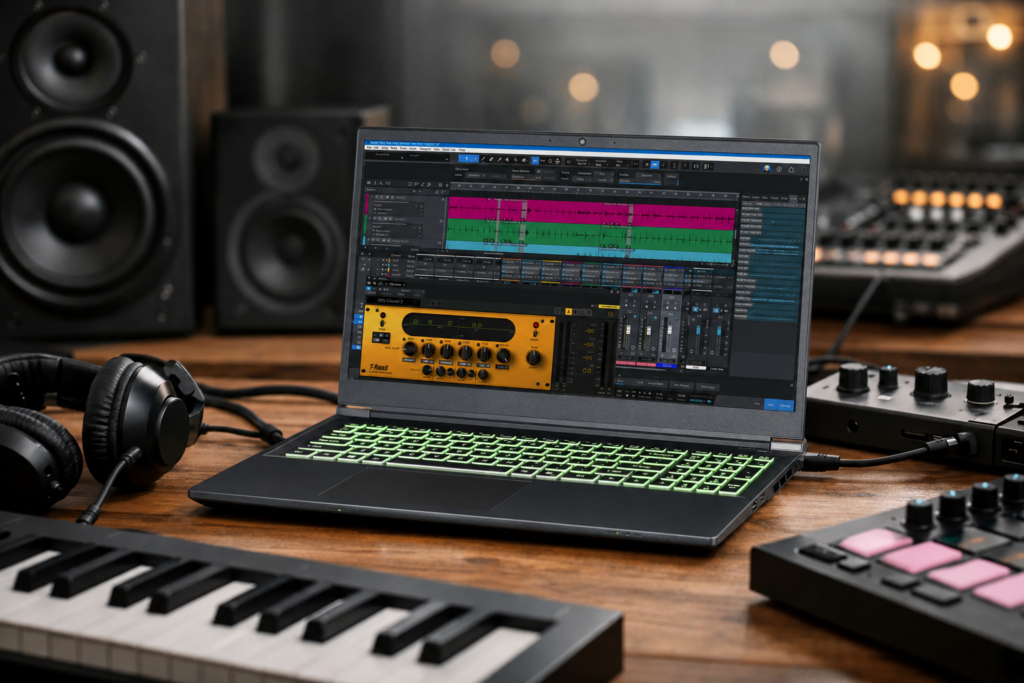
A session laptop fails in very predictable ways. The buffer starts crackling when the arrangement gets dense, the fan ramps up in the middle of a vocal take, or a single driver issue turns a portable rig into a troubleshooting project. That is why choosing a laptop for music production Windows users can actually rely on is less about flashy specs and more about how the machine behaves under real DAW workloads.
For producers, engineers, and composers, a laptop is not just a portable computer. It is the center of a recording chain, a writing room, a mix station, and sometimes a live playback rig. On Windows, that can be a major advantage because the platform gives you strong software support, broad hardware compatibility, and more flexibility in system configuration. But it also means you need to pay close attention to the parts that affect latency, stability, thermals, and long-session performance.
What makes a laptop for music production Windows-ready?
A good music production laptop needs to do three things consistently. It has to process audio in real time at low latency, stay stable with your interface and plugin stack, and keep doing both for hours without thermal throttling or random interruptions.
That sounds simple, but it is where many consumer laptops fall short. A machine that benchmarks well for office use or gaming may still struggle in a DAW if power management is too aggressive, cooling is inconsistent, or drivers are poorly behaved. Music production exposes weak points quickly because audio work is sensitive to timing in a way many other workloads are not.
If you record vocals at a 64-sample buffer, run large sample libraries, or mix with CPU-heavy effects chains, every hardware decision has a direct workflow consequence. More CPU headroom means more instruments and plugins before you need to freeze tracks. Better cooling means sustained performance instead of brief bursts. Proper storage layout means faster load times and fewer interruptions when streaming samples.
CPU matters most, but not in the way most buyers think
For a Windows DAW laptop, the processor is still the first place to focus. Most serious users should be looking at modern Intel Ultra 7, 9, or comparable high-performance CPUs, depending on session size and software demands.
The nuance is that audio does not always reward raw core count the same way video rendering does. Many DAWs and plugins benefit from multiple cores, but low-buffer real-time performance also depends heavily on strong single-core behavior and efficient scheduling. That is why a well-chosen CPU with stable sustained clocks often matters more than chasing the most extreme spec sheet.
If your work is mostly songwriting, editing, and moderate mixing, a strong mid-to-upper-tier CPU can be enough. If you run orchestral templates, dense electronic sessions, or large mix projects with virtual instruments and mastering chains, higher-end CPU options make a real difference. The goal is not just speed. It is staying productive without constantly printing, freezing, or working around limits.
RAM and storage shape the experience every day
RAM is where many buyers underestimate their actual needs. For lighter production, 16GB can still work, but it is no longer the comfortable target for many professional sessions. Once you add Kontakt libraries, drum instruments, multiple synths, and a modern DAW environment, 32GB becomes a much safer baseline.
For composers and sample-heavy producers, 64GB may be justified. Not everyone needs that much, but if your templates are large or you keep many instruments live while writing, extra memory saves time and keeps the workflow fluid.
Storage should be fast solid-state storage, ideally NVMe. Traditional hard drives have no place inside a modern production laptop. They are slower, louder, and more vulnerable to performance bottlenecks when streaming audio or samples.
Capacity matters too. A 1TB system drive is a practical starting point for many users, especially once you account for DAW applications, plugin installs, sample libraries, and project files. Some workflows benefit from separating the OS, applications, and libraries across multiple drives, but on a laptop that depends on the available configuration. What matters most is that the storage is fast, reliable, and sized for the actual work.
Why cooling and noise are not minor details
Thermals are one of the biggest separators between a decent laptop and a production-ready one. A machine can look powerful on paper and still underperform if it cannot hold that performance once the session gets heavy.
When a laptop runs hot, the system may throttle CPU speeds to protect itself. In practical terms, that can mean reduced plugin headroom, less stable low-latency performance, and unpredictable behavior in longer sessions. This is especially frustrating because the issue may not show up in quick tests. It appears after an hour of tracking, editing, or mixing when the internal temperatures catch up.
Fan noise also matters more in audio than in most computing categories. If you are recording in the same room, excessive fan behavior is not just annoying. It can ruin takes or force compromises in microphone placement and gain staging.
That is why cooling design should be treated as part of the audio specification, not an afterthought. A quiet, well-managed thermal profile supports both performance and recording practicality.
The real test is latency, drivers, and compatibility
On a Windows laptop for music production, stable low-latency performance depends on more than the processor. Your audio interface driver, system optimization, chipset behavior, and background services all play a role.
This is where generic laptop buying advice usually breaks down. A mainstream review may tell you a system has great battery life and a nice display, but that does not tell you how it behaves at a low buffer in a real DAW session with an interface connected, MIDI active, and plugin load rising.
Compatibility testing matters because professional users are not running a laptop in isolation. They are connecting USB or Thunderbolt interfaces, control surfaces, external drives, iLok keys, displays, and specialized software. One weak point in that chain can create dropouts, recognition issues, or unstable behavior.
A properly configured system reduces that uncertainty. That includes the right drivers, sensible Windows tuning, and component choices that have already been evaluated for creative workflows. For many professionals, that is the difference between a machine that looks capable and one that can actually handle paid work.
Best laptop for music production Windows buyers should prioritize
If you are choosing a system today, think in terms of workflow tiers rather than abstract specs.
A producer focused on beat making, songwriting, and smaller tracking sessions can often work very well with a strong current-generation CPU, 32GB of RAM, and 1TB of NVMe storage. A mix engineer or composer handling larger sessions should be looking at more CPU headroom, expanded RAM, and enough storage for libraries and active project work without relying on constant external-drive management.
Screen size and portability are also trade-offs. A thinner laptop is easier to carry, but that often limits cooling and upgrade flexibility. A larger chassis may be less convenient on the road, yet it usually gives you better thermal performance, more I/O, and a more usable workspace for editing and mixing.
Battery life matters if you travel, but for serious audio work it should not outweigh sustained plugged-in performance. Most professional sessions happen on external power with interfaces and peripherals attached. In that setting, stability and thermal consistency are worth more than chasing consumer battery benchmarks.
Port selection should match your rig. If you use Thunderbolt audio, make sure the implementation is proven. If your workflow depends on several USB devices, do not assume a minimal-port design will be fine without planning for hubs and power considerations. Every adapter adds another variable.
Why purpose-built systems keep winning in studios
This is the part many experienced users learn the hard way. Buying a laptop by specs alone is rarely the safest route for audio. Two systems with similar processors and memory can behave very differently once you install your DAW, your plugins, and your interface drivers.
That is why purpose-built systems continue to matter. A computer designed specifically for production work is not just assembled from fast parts. It is selected, configured, and tested around actual creator workloads. That means fewer surprises, better compatibility, and support from people who understand why a buffer underrun matters more than a synthetic benchmark score.
For professionals who do not want to spend days tuning power settings, chasing driver conflicts, or figuring out why a laptop spikes under load, that approach saves real time. PCAudioLabs has built its reputation around that exact gap between consumer hardware and production-ready performance.
How to make the right choice for your workflow
The best laptop is the one that matches the heaviest session you actually run, not the lightest project you hope to get by with. If you mostly edit podcasts and build small sessions, you do not need to overbuy dramatically. But if your income depends on tracking clients, running virtual instruments at low latency, or mixing dense sessions on deadline, extra headroom is not wasteful. It is insurance.
Be honest about your software, your interface, your session sizes, and whether you record in the same room as the laptop. Those details affect what matters most. Some users need more RAM than CPU. Others need better thermals and quieter operation more than a smaller chassis.
The right Windows music production laptop should feel invisible when the work starts. No crackles when inspiration shows up, no fan drama during a take, no mystery behavior when a client is waiting. That is the standard worth buying for.