
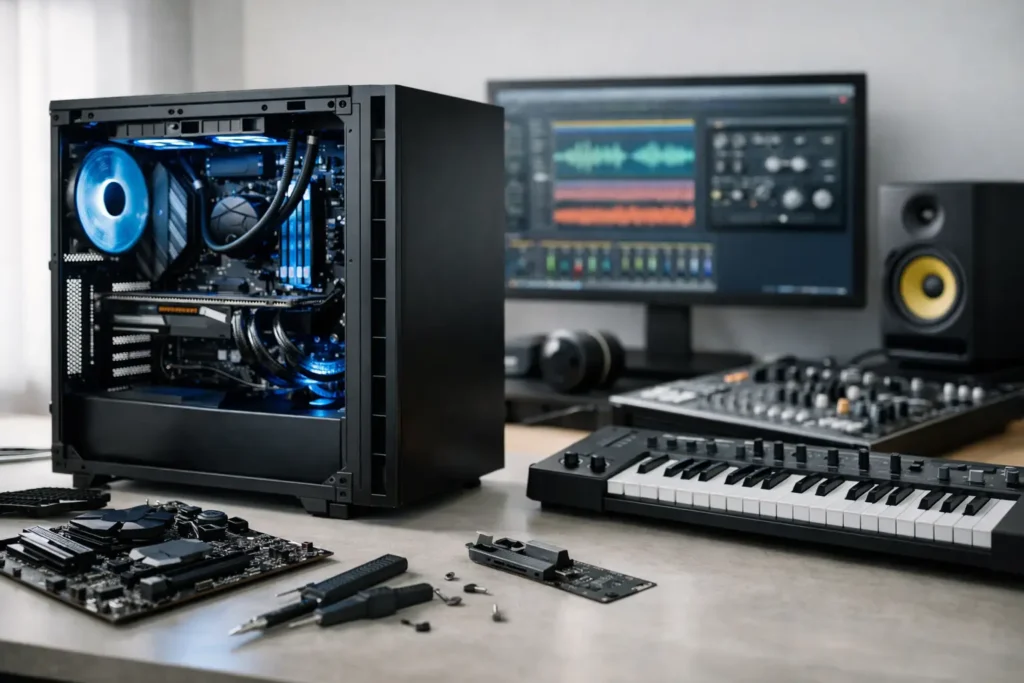
A DAW computer usually fails long before the spec sheet says it should. Not because the CPU is weak, but because the wrong motherboard fights your interface driver, the case fans are too loud for a vocal room, or the storage layout slows down a session with large sample libraries. If you want to build a custom DAW computer, the goal is not bragging rights. The goal is stable, low-latency performance when clients are waiting and deadlines are real.
That changes how you choose parts. A production system is not the same as a gaming PC with studio software installed on top. DAW work puts a premium on sustained CPU performance, low DPC latency, quiet cooling, dependable USB and Thunderbolt behavior, and component combinations that have already proven themselves under real recording and mixing loads.
What matters most before you build a custom DAW computer
The first question is not which processor to buy. It is what kind of sessions you run. Tracking 24 inputs at low buffer settings asks for something very different than orchestral composition with massive sample libraries, or post-production with video playback and heavy plugin chains.
If your day revolves around recording, low-latency responsiveness and interface compatibility should lead the build. If you mix large projects, core count and cooling headroom become more important. If you compose with virtual instruments, RAM capacity and fast sample storage can matter just as much as the CPU. For hybrid music and video workflows, GPU choice enters the conversation, but it should still be balanced against noise and thermal demands.
This is where many self-built systems go off course. People buy the fastest advertised part in each category, then discover the machine runs hot, loud, or inconsistent under studio conditions. In DAW work, the best build is usually the one with the fewest surprises.
CPU choice sets the personality of the system
Your processor determines how the computer behaves under load, especially at smaller buffer sizes. Strong single-core performance helps with real-time responsiveness, while additional cores help when sessions get dense with tracks, instruments, and effects.
That does not mean you should automatically buy the highest-end CPU available. More cores can add cost, power draw, and cooling complexity without improving your actual workflow. A producer working mostly in moderate-size sessions may get better value from a balanced mid-to-upper-tier processor that runs cooler and more quietly. A composer running huge templates may absolutely benefit from stepping up.
The right answer depends on your DAW, plugin habits, and whether your bottleneck is real-time tracking or total mix capacity. A smart DAW build treats the CPU as part of a system, not a trophy component.
Motherboard stability matters more than flashy features
For audio production, the motherboard is not where you want surprises. You need stable chipset behavior, reliable USB implementation, appropriate PCIe layout, and clean compatibility with your audio interface, storage, and expansion requirements.
This is also where spec-sheet shopping can be misleading. A board loaded with gaming features does not automatically translate into better DAW performance. In many studios, fewer unnecessary extras is better if it means cleaner BIOS behavior and more predictable results.
If you rely on Thunderbolt, this choice becomes even more critical. Thunderbolt support on Windows needs to be treated carefully, because not every implementation behaves the same way with audio hardware. The difference between a smooth setup and a frustrating one often comes down to tested compatibility rather than marketing language.
RAM and storage should match your sessions, not your wish list
Memory shortages show up fast in sample-heavy projects. If you run large orchestral libraries, drum instruments, or sound design sessions with layered assets, RAM is a practical limitation, not a theoretical one. For many professional DAW builds, 32GB is a reasonable floor, while 64GB or more makes sense for heavier composition and post workloads.
Storage is just as important. A proper DAW layout usually separates the operating system and applications from active project files and sample libraries. That helps with organization, load times, and consistency under pressure.
Fast NVMe drives are a strong fit for modern DAW systems, but drive planning still matters more than raw benchmark numbers. One drive for OS and software, one for sessions, and one for libraries is often a cleaner production setup than trying to force everything onto a single large volume. Backup strategy matters too, because no storage decision is complete if your work lives in only one place.
Quiet cooling is part of performance
A powerful machine that spills fan noise into a control room is not really optimized for audio. Quiet operation is not cosmetic. It affects tracking, editing focus, and whether the computer can live comfortably in the same room as microphones and monitors.
That means the case, fans, CPU cooler, airflow path, and power supply all deserve attention. Smaller enclosures can be attractive, but compact builds often create more thermal density and more fan activity. Larger, well-ventilated cases usually give you better acoustic behavior and easier service access.
There is always a trade-off here. Extremely low-noise tuning can limit thermal headroom, while aggressive cooling profiles can make the room less workable. The best DAW systems strike a balance where sustained sessions remain cool without sounding like a render farm.
Graphics should serve the workflow, not dominate it
Many DAW users do not need a large discrete GPU at all. If your work is primarily audio, integrated graphics or a modest professional-grade graphics solution may be the better choice because it reduces heat, power draw, and noise.
If you also edit video, work across multiple displays, or use GPU-accelerated creative apps, then a dedicated GPU may be justified. But even then, oversized gaming cards are often the wrong move for a studio computer. They can introduce unnecessary acoustic and thermal complications in a system where the priority is reliability during long production sessions.
The operating system setup is where good builds become dependable builds
Hardware is only half the job. A Windows DAW machine needs deliberate setup if you want predictable low-latency performance. Power management, background services, driver selection, BIOS settings, update strategy, and interface configuration all influence how the system behaves under load.
This is where many users underestimate the real work involved. Building the PC is the easy part. Tuning it for audio without creating new problems takes experience. Change the wrong setting and you can solve one issue while introducing another. That is especially true with USB power behavior, CPU boost settings, or motherboard-specific firmware options.
A production-ready system should be tested with the actual DAW, interface, plugins, and peripherals that matter to your workflow. Synthetic benchmarks can be useful, but they do not tell you whether your interface stays stable at low buffer settings through a full session.
When building your own DAW computer makes sense
There are valid reasons to build your own system. You may already know exactly which interface, DSP hardware, storage layout, and case design you want. You may enjoy the process and have the time to validate components, tune Windows, stress test the machine, and troubleshoot edge-case conflicts if they appear.
For technically experienced users, a self-built DAW can work well. But it only works well if you treat compatibility testing as seriously as the parts list. The cost of a wrong choice is not just another return shipment. It can be a lost session, a missed deadline, or hours spent isolating a problem that had nothing to do with the software you were trying to use.
When not to build a custom DAW computer yourself
If your computer is a revenue-generating production tool, it is worth being honest about opportunity cost. Researching components, assembling the machine, validating drivers, configuring Windows, testing latency, and resolving compatibility issues can consume far more time than most creators expect.
That is why many professionals choose a specialist builder instead of doing it themselves. A purpose-built system from a company like PCAudioLabs is not just a collection of premium parts. The value is in workflow-aware component selection, tested compatibility, audio-focused optimization, and support from people who understand why a machine can look excellent on paper and still fail in a studio.
For users who need confidence more than a hobby project, that difference matters.
Build for your real workload, not the internet’s favorite build
The best DAW computer is rarely the loudest, flashiest, or most expensive option. It is the machine that lets you track without pops, mix without hesitation, load large sessions quickly, and stay out of your way when the work matters.
So if you plan to build a custom DAW computer, start with the session, not the shopping cart. Choose parts that are known to behave well together, leave thermal and acoustic headroom, and think through the software environment as carefully as the hardware. A stable studio computer should feel uneventful in the best possible way. You stop thinking about the machine and get back to creating.