
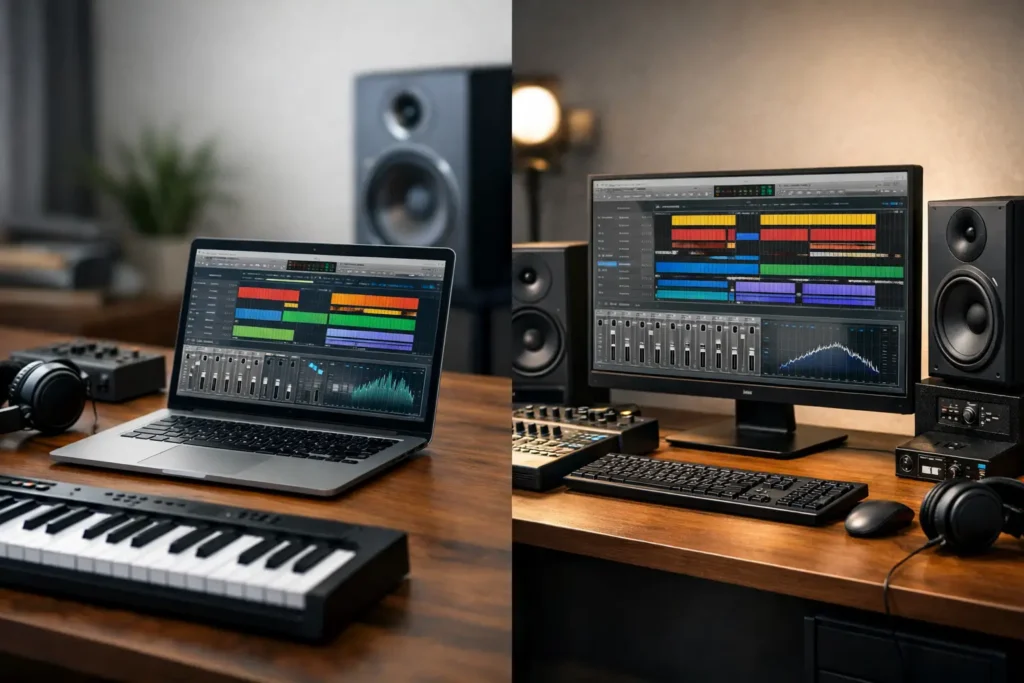
A session starts at 10 a.m., the client wants revisions by lunch, and your computer is either the quietest part of the room or the reason the room stops. That is the real DAW laptop versus desktop question. It is not just about form factor. It is about how your system behaves when buffer settings get tight, track counts climb, and deadlines leave no space for troubleshooting.
For serious production work, both can be the right choice. The better answer depends on how you record, where you work, how often you travel, and how much headroom you need when projects get dense. A songwriter cutting vocals in changing locations has different needs than a mix engineer running large sessions in one treated room every day.
DAW laptop versus desktop: what actually changes in use
On paper, a laptop and desktop can look close. Similar CPU branding, similar RAM numbers, similar storage capacity. In practice, they behave differently under sustained audio workloads.
A desktop has more thermal headroom, more physical space for cooling, and fewer design compromises around size and power draw. That matters when you are running large sessions with virtual instruments, oversampled plugins, high track counts, or video on the same machine. The longer the workload stays heavy, the more a well-built desktop tends to hold its performance.
A laptop trades some of that headroom for mobility. That trade can be absolutely worth it if your work happens across writing rooms, live rooms, home studios, remote edit setups, and client locations. But mobility is not free. It usually means tighter thermal limits, fewer expansion options, and more attention to power management, ports, and external peripherals.
This is why the desktop versus laptop conversation for DAW work should never be reduced to raw specs alone. In production, consistency matters as much as peak performance.
When a DAW laptop makes more sense
If your workflow moves, your system probably needs to move with it. Producers who build tracks in multiple rooms, composers working between studio and stage, engineers recording on location, and editors traveling with active projects all benefit from a laptop-first setup.
A good DAW laptop gives you continuity. Your sessions, plugin environment, sample libraries, and interface settings stay with you. That matters when you want one machine to handle writing, editing, overdubs, and approvals without moving sessions between different systems.
Laptops also make sense for creators who need a smaller footprint. Not every room has space for a tower, separate display setup, and permanent workstation layout. In compact studios or mixed-use spaces, a laptop can simplify the setup while still delivering professional capability.
The trade-off is that you need to be more deliberate about configuration. Port selection matters if you are connecting interfaces, external drives, control surfaces, displays, and dongles. Cooling matters if you are running long sessions. Fan behavior matters if you are tracking in the same room. Battery-powered convenience is useful, but serious production still tends to happen plugged in, with stable power settings and a properly optimized system.
For many users, the right laptop is not the thinnest or the most consumer-friendly model. It is the one designed to sustain creative workloads without getting noisy, unstable, or thermally constrained halfway through the day.
When a desktop is the better DAW machine
If your system stays in one room and your projects regularly push hard, a desktop usually gives you the strongest long-term platform. That is especially true for mix engineers, mastering rooms, composers with large sample templates, post-production workstations, and studios running demanding sessions every day.
Desktops typically offer better sustained performance because they can cool more effectively. That does not just help benchmark scores. It helps real sessions stay responsive when CPU demand remains high for hours. You are less likely to run into the kind of thermal throttling that can quietly reduce performance at the worst time.
Noise control is another major factor. In audio production, cooling is not just about temperature. It is about keeping the machine quiet enough for the room. A properly designed desktop can use larger, slower fans and a roomier enclosure to maintain lower noise under load. That can be a major advantage when recording vocals, acoustic instruments, or spoken word in the same space.
Desktops also win on expandability. More internal storage, more RAM capacity, more PCIe options, and easier serviceability all matter over the life of the machine. If your workflow evolves, your desktop is generally easier to adapt without replacing the entire platform.
For a fixed studio, that flexibility often turns into lower friction. You can add fast storage for sample libraries, increase memory for larger templates, or support specialized hardware without redesigning your whole setup around laptop limitations.
Performance is not just CPU speed
A lot of buying decisions get trapped at the processor line item, but DAW performance is broader than that. Your system needs balanced performance across CPU, memory, storage, cooling, and motherboard-level stability. It also needs to play nicely with your interface, drivers, plugins, and display setup.
Low-latency recording is a good example. Tracking through software instruments or monitoring through plugin chains puts pressure on the entire system, not just the processor. Driver behavior, BIOS tuning, power management, background services, and thermal stability all influence whether a machine feels dependable at low buffer settings.
That is one reason purpose-built systems matter in audio. A machine that looks strong on a retail spec sheet can still become frustrating if it is not configured and tested for production use. Session work punishes weak links fast.
For desktop and laptop buyers alike, the question should be less about the biggest advertised spec and more about whether the full system is engineered to stay stable under the kind of sessions you actually run.
DAW laptop versus desktop for different production roles
A songwriter or producer building ideas in multiple locations may get more value from a laptop, even if a desktop offers higher peak capacity. If inspiration, collaboration, and mobility define the job, portability is part of performance.
A recording engineer working mostly from one control room may lean desktop because quiet cooling, stable low-latency tracking, and interface connectivity matter more than portability. A mobile rig can still be useful, but it does not need to be the primary system.
Composers often sit in the middle. If you run large orchestral templates, a desktop can be the better main machine simply because of memory and storage expansion. But if you are writing cues in multiple places and need access to the same environment everywhere, a high-performance laptop may be the better operational choice.
Video editors and content creators face a similar split. If your workload includes editing, motion graphics, audio post, and delivery from one location, a desktop gives you more room to scale. If client review, travel, and field work are common, a laptop may keep projects moving with less handoff and duplication.
Cost, lifespan, and upgrade reality
A laptop is not automatically the cheaper option, and a desktop is not automatically the better value. The real difference is where your money goes and how the system ages.
With a desktop, more of the budget usually goes into sustained performance and expandability. You often get better cooling, easier future upgrades, and fewer compromises around ports and internal storage. Over time, that can extend useful life, especially if your sessions continue to grow.
With a laptop, part of the premium pays for integration and portability. That can be well worth it if mobility directly supports your income. But laptops usually offer less flexibility later. Once your workload outgrows the machine, your upgrade path may be limited.
That does not mean laptops are short-term tools. It means the initial buying decision matters more. You want enough headroom not just for current sessions, but for the next few years of plugin growth, OS changes, and production demands.
This is where specialized builders have an advantage. A system chosen for your workflow rather than generic retail categories is less likely to leave you boxed in six months later. Companies like PCAudioLabs build around that idea – matching the machine to the real session load, software stack, and production environment instead of chasing mass-market specs.
How to choose without second-guessing it later
If you are recording and editing in multiple locations every week, get the laptop. If your income depends on a fixed studio handling larger sessions with maximum stability and minimum noise, get the desktop.
If you are split between the two, ask a more specific question: where does failure hurt most? If a missed mobile session is the bigger risk, prioritize portability. If interrupted studio work, fan noise, or lack of expansion is the bigger risk, prioritize the desktop.
Also be honest about your working style. Many buyers like the idea of mobility more than they actually use it. Others buy a desktop for maximum power, then realize their creative process happens everywhere except the desk. The right machine fits the workflow you have, not the one you imagine you might adopt.
A dependable DAW system should disappear into the background. It should let you track, edit, mix, and deliver without asking for constant attention. Choose the form factor that supports that kind of confidence, and the rest of your setup gets easier.