
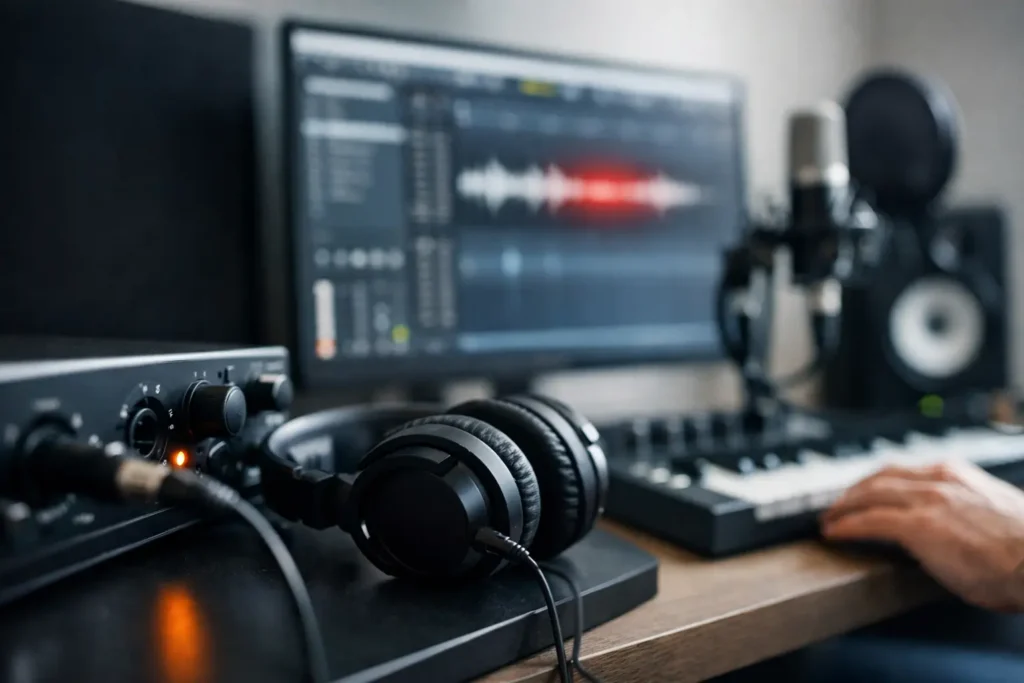
You arm a vocal track, hit record, and the performance feels wrong before the first line is finished. The singer hears a slapback effect in the headphones, the guitarist starts playing ahead of the beat, and suddenly the session shifts from creative to corrective. If you’re asking why is recording latency high, the answer is rarely one setting by itself. In most production systems, latency comes from the way your interface, drivers, DAW, plugins, and computer all share the workload.
For working engineers and producers, high latency is not just an annoyance. It changes performances. Timing gets cautious, pitch can drift, and sessions slow down because artists stop trusting what they hear in real time. The good news is that latency is usually diagnosable. The better news is that the fix often has less to do with marketing specs and more to do with how the system is configured for recording.
Why is recording latency high in a DAW setup?
At a practical level, recording latency is the delay between the sound entering your system and that sound returning to your headphones or monitors. Some amount of delay always exists in digital audio. The problem starts when that delay becomes noticeable enough to affect performance.
The most common reason is buffer size. Your audio interface and DAW process audio in chunks called buffers. A larger buffer gives the CPU more time to process audio reliably, which helps during mixing with lots of plugins. But during recording, that same larger buffer adds more delay. If your buffer is set to 512 or 1024 samples, latency can become obvious fast, especially on vocals, guitars, drums, and software instruments.
That said, buffer size is only part of the picture. Sample rate matters too. A 64-sample buffer at 96 kHz behaves differently than a 64-sample buffer at 44.1 kHz because the actual time per buffer changes. Driver efficiency matters. Interface quality matters. DAW behavior matters. And the way Windows handles background activity can either help real-time audio or get in its way.
The most common causes of high recording latency
Buffer settings that are right for mixing, not tracking
A lot of sessions run into trouble because the system is still configured for the last stage of production. During mixing, it makes sense to raise the buffer so the CPU can handle heavier plugin loads. During tracking, that same setting works against you.
If you are recording at a high buffer, the system may stay stable, but performers will feel the delay. For most tracking situations, lower settings like 32, 64, or 128 samples are where you want to start. The trade-off is that lower buffers demand more from the CPU. If the computer is not optimized for real-time audio, you may trade latency for clicks, pops, or dropouts.
Plugin delay compensation and heavy session load
Even if your buffer is low, plugins can still create latency. Lookahead limiters, linear-phase EQs, some convolution reverbs, and certain mastering tools add delay by design. Plugin delay compensation keeps playback aligned, but during recording it can make the monitoring path feel much slower than expected.
This is one of the biggest reasons users wonder why is recording latency high when their interface settings look fine. The issue is not always the interface. It may be the session itself. A template loaded with bus processing, metering, oversampling plugins, and virtual instruments can push a recording rig into high-latency behavior long before the CPU meter looks alarming.
Audio drivers that are generic or poorly implemented
Professional audio on Windows depends heavily on proper ASIO drivers. If your system is using a generic driver layer or a fallback driver instead of the interface manufacturer’s dedicated ASIO driver, latency usually goes up and stability often goes down.
Driver quality also varies between interfaces. Two interfaces with similar published specs can perform very differently in actual sessions because the driver and control software are not equally efficient. That difference shows up most clearly at lower buffer sizes, where real-time performance matters most.
Direct monitoring is off, unavailable, or misunderstood
Many interfaces offer direct monitoring, which lets you hear the input before it makes a full round trip through the DAW. When this is available and configured correctly, perceived latency during recording can drop dramatically.
The catch is that direct monitoring is not the same as DAW monitoring. If the artist needs to hear software-based amp sims, vocal chains, or virtual processing while tracking, then the system still needs genuinely low round-trip latency. In other words, direct monitoring can solve some headphone issues, but it does not replace a well-configured recording system for every workflow.
CPU scheduling and Windows background activity
Audio production is a real-time task. Your system does not just need power on paper. It needs predictable performance every few milliseconds. Background services, power-saving features, wireless adapters, storage interruptions, and poorly behaved device drivers can all interfere with that timing.
This is where many consumer PCs fall short for studio work. On a spec sheet, the machine may look powerful. In an actual session, deferred procedure call behavior, inconsistent CPU boost patterns, or aggressive power management can make low-latency recording unstable. When that happens, users raise the buffer to stop glitches, and latency gets worse.
Underpowered or mismatched hardware
High recording latency is not always caused by a weak computer, but hardware limits can force compromises. Large sample libraries, dense plugin sessions, and modern DAWs can quickly stress a system that was not built around audio workloads.
RAM shortages can contribute indirectly by increasing memory pressure. Slow or poorly allocated storage can affect streaming performance. A noisy thermal design can cause throttling under sustained session load. Even USB controller behavior can matter with some interfaces. The broader point is simple: in audio production, component choice and system integration affect usable latency just as much as raw benchmark numbers.
How to lower recording latency without creating new problems
Start with the recording path. If you are tracking, lower the buffer and disable plugins that add significant latency. Bypass lookahead processors, linear-phase tools, and anything intended for mastering. If your DAW has a low-latency monitoring mode, use it, but verify what it actually bypasses.
Next, confirm that the interface is using its native ASIO driver and that the driver is current. If the control panel offers USB streaming or safety buffer settings, test them methodically rather than changing multiple variables at once.
Then look at the session itself. A stripped-down tracking template often works better than trying to record through a full mix session. Commit sounds where it makes sense, freeze virtual instruments if needed, and keep the monitoring chain lean enough for real-time work.
At the system level, use a power profile appropriate for production, reduce unnecessary background tasks, and make sure the machine is not juggling unrelated activity during a session. For serious studios, this is one reason a purpose-built workstation matters. A system tuned for DAW reliability saves time because you spend less of it chasing intermittent performance issues.
Why high latency sometimes points to the computer, not the interface
There is a tendency to blame the interface first, and sometimes that is correct. But in many studios, the interface is only exposing a broader system problem. If low buffer settings produce instability even in modest sessions, the bottleneck may be CPU behavior, motherboard implementation, thermal limits, or Windows optimization rather than the converter box on the desk.
That distinction matters when you are deciding what to replace. Swapping interfaces will not fix a machine that struggles with real-time audio scheduling. On the other hand, a production computer designed specifically for DAWs can make the same interface perform much better because the surrounding platform is more stable under low-latency load. That is a big part of why specialized audio workstations exist in the first place.
When low latency is realistic, and when it depends
Not every session needs ultra-low round-trip latency. If you are editing, mixing, mastering, or running playback, a higher buffer is often the right choice. It gives the system more breathing room and usually improves stability with larger projects.
But if you are tracking vocals through processing, playing amp sims, performing on software instruments, or recording tight rhythmic parts, latency needs to stay low enough that the artist does not feel the computer. That threshold varies by player and source. Drummers and keyboard players usually notice problems faster than someone recording a simple spoken read. There is no universal magic number, but once latency starts changing performance, it is too high for the task.
A well-built recording system is not about forcing the lowest number possible in every situation. It is about having enough headroom, driver efficiency, and platform stability to run the right latency for the job without compromising reliability.
If your sessions keep drifting toward bigger buffers just to stay usable, treat that as a signal, not a workaround. Recording should feel immediate. When it does, performers relax, decisions come faster, and the computer stops being part of the conversation.