
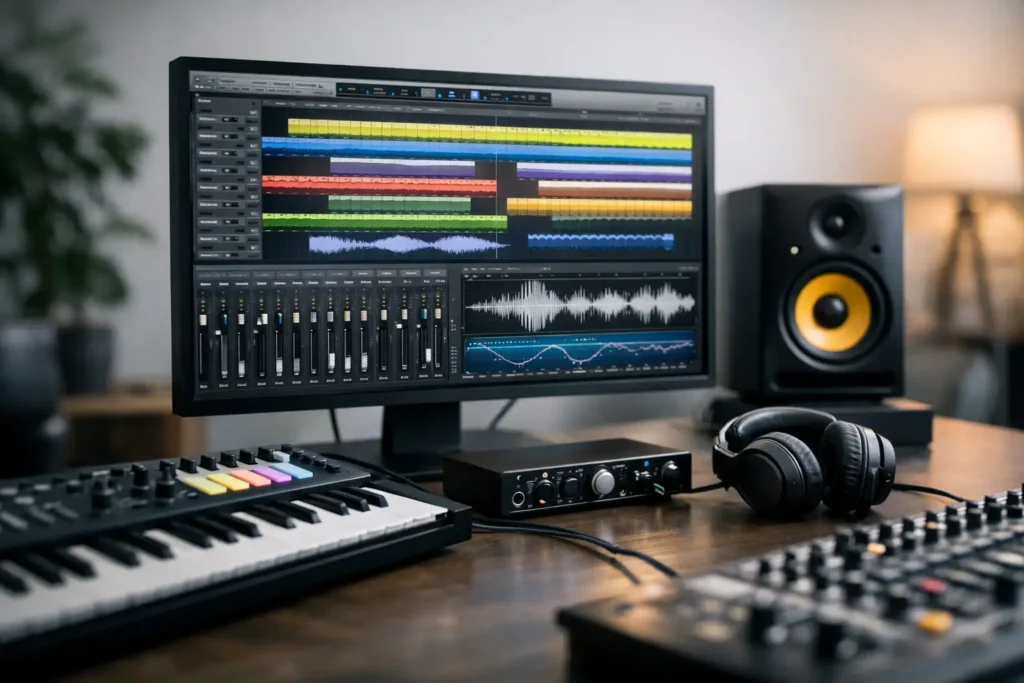
A session rarely fails because the chorus was weak. It fails because the buffer has to go up, the interface starts acting strange, or the system chokes right when the client wants one more take. If you’re figuring out how to choose DAW workstation hardware, the real question is not which spec sheet looks biggest. It is which system stays fast, quiet, and dependable when your actual workload gets demanding.
That distinction matters because DAW work is not the same as general office or gaming use. Recording at low latency, running large sample libraries, editing dense sessions, and keeping interfaces, plugins, and peripherals stable all put pressure on a machine in different ways. A good workstation is not just powerful. It is balanced for production.
How to choose DAW workstation hardware for real sessions
The fastest way to make a bad buying decision is to shop by one headline spec. More cores sound great. More RAM sounds safe. Bigger drives sound practical. In the studio, though, each of those only helps if it matches the way you work.
A songwriter cutting vocals over instrumentals has different needs than a composer running massive orchestral templates. A mixing engineer opening sessions with heavy plugin chains needs a different balance than a video creator bouncing between audio post and 4K edits. Before you compare systems, define the sessions you need to survive on your busiest day, not the light projects you can already run.
That means looking at four things first: track counts, plugin load, sample library size, and latency sensitivity. If you record live instruments or vocals through software monitoring, low-latency performance matters immediately. If you mostly mix, CPU headroom under larger buffers may matter more. If your projects rely on Kontakt, orchestral tools, or large drum libraries, storage speed and RAM become much more important.
Start with workflow, not parts
The best workstation choice usually comes from a simple question: what slows you down now? If your current machine clicks and pops during tracking, the issue may be CPU performance, driver behavior, USB or Thunderbolt implementation, or poor system optimization. If large templates take forever to open, you may need more RAM and faster sample drives. If export times are the pain point, processor choice may deserve more attention.
This is where many creators overbuy in the wrong places. They chase a top-tier processor when the bigger issue is that their samples are streaming from a single crowded drive. Or they load a machine with memory they will never use while ignoring the importance of tested compatibility with their interface and DAW.
A workstation should fit the software stack you rely on every day. Your DAW, interface, plugin collection, control surfaces, video tools, and storage habits all matter. The right build is the one that supports that chain cleanly.
CPU: where audio performance starts
For most DAW users, the CPU is still the foundation. Virtual instruments, real-time plugin processing, and mix complexity all live here. But raw core count is not the whole story. Audio workloads often benefit from strong single-core performance as much as they benefit from more cores, especially at low buffer settings.
If you track and overdub regularly, look for a processor that can handle demanding real-time work without forcing compromises. If you build large sessions with lots of instrument layers, buses, and effects, additional cores help distribute the load. The trade-off is simple: not every high-core CPU behaves the same in audio, and not every creator benefits equally from moving to the absolute top end.
A balanced workstation often beats an extreme one. That is especially true when the machine has been configured and tested for DAW use instead of assembled like a generic performance PC.
RAM: enough is better than excess
Memory should support your workload, not your anxiety. For straightforward audio recording, editing, and moderate mixing, you may not need enormous RAM capacity. For orchestral composition, sound design, and hybrid scoring templates, you probably do.
If your projects include large sample libraries, RAM determines how much you can keep available without constant loading delays or system pressure. If your work is more plugin-heavy than sample-heavy, CPU may matter more than going far beyond a sensible memory target.
The goal is to avoid paging, slowdown, and unnecessary compromise while leaving some room to grow. Buying too little creates friction quickly. Buying far too much can drain budget from more meaningful upgrades.
Storage: one of the most overlooked decisions
Storage affects more than file capacity. In a DAW workstation, it influences boot speed, project load times, sample streaming, and how responsive the system feels under pressure. Fast SSD storage is no longer a luxury in production work. It is baseline.
For many professionals, a multi-drive approach makes the most sense. Keep the operating system and applications on one fast drive, active sessions on another, and large sample libraries on dedicated storage if your workflow depends on them. That separation helps maintain performance and keeps heavy read and write activity from piling onto one drive.
The exact layout depends on the work. A mix engineer with modest sample use may not need the same drive structure as a composer loading huge libraries all day. But almost everyone benefits from avoiding a single-drive setup for serious production.
Quiet operation matters more than benchmarks suggest
Nobody wants a machine that sounds like a box fan three feet from a vocal mic. Acoustic noise is not just an annoyance. It affects tracking, editing focus, and where you can physically place the workstation in your room.
This is one reason spec-only shopping falls short. A system can be powerful on paper and still be a poor studio fit if cooling is loud, inconsistent, or poorly matched to the chassis. Quiet operation comes from the whole build – case design, cooling strategy, component selection, and power delivery.
If you work in the same room as your computer, this should be part of the buying decision from the start, not something you hope to fix later.
Compatibility and optimization are part of the workstation
When people ask how to choose DAW workstation systems, they often focus on hardware and skip the part that causes the most frustration after purchase: compatibility. Audio interfaces, DSP hardware, USB devices, control surfaces, and plugin ecosystems are not equally forgiving.
A production system should be selected with your software and hardware environment in mind. That includes the DAW version you use, the interface connection type, driver quality, and whether your setup depends on specific expansion or port requirements. It also includes Windows optimization, which can make a meaningful difference in audio behavior when done properly.
This is where purpose-built systems separate themselves from generic desktops. Tested compatibility, known-good component combinations, and production-focused setup remove a lot of the guesswork that usually gets disguised as “troubleshooting.”
Desktop, rackmount, or laptop?
Form factor should follow the way you work. If the workstation lives in a control room and handles demanding sessions every day, a desktop or tower usually offers the best mix of cooling, expansion, and long-term flexibility. If your system needs to integrate into studio furniture or machine rooms, a rackmount can make more sense.
A laptop is the right call when mobility is non-negotiable, but it should still be judged by audio performance standards, not general portability claims. If you track on location, edit while traveling, and return to a docked studio setup, a well-configured mobile system can work very well. You just need to be realistic about thermal limits, expandability, and I/O.
There is no universally best format. There is only the one that supports your workflow with the fewest compromises.
Support is not an extra
For professionals, support has direct production value. If your workstation is central to your studio or business, the ability to get knowledgeable help matters as much as a small spec difference between two builds.
This is especially true if you do not want to spend billable time diagnosing BIOS settings, driver conflicts, USB behavior, or system tuning. A specialist builder such as PCAudioLabs brings value here because the system is not treated like a generic PC sale. It is treated like a production tool that has to work in real sessions.
That matters long after unboxing. Software changes, workflow grows, and studio setups evolve. Good support helps the machine keep up.
The smartest way to buy
The right DAW workstation is the one that fits your sessions, your room, and your tolerance for technical overhead. Buy for low-latency recording if you track. Buy for RAM and storage strategy if you score. Buy for stability and CPU balance if you mix all day. And if your livelihood depends on the system, give serious weight to tested compatibility and expert support, because that is often what keeps a fast machine from becoming a frustrating one.
A workstation should disappear when you work. That is usually the clearest sign you chose well.