
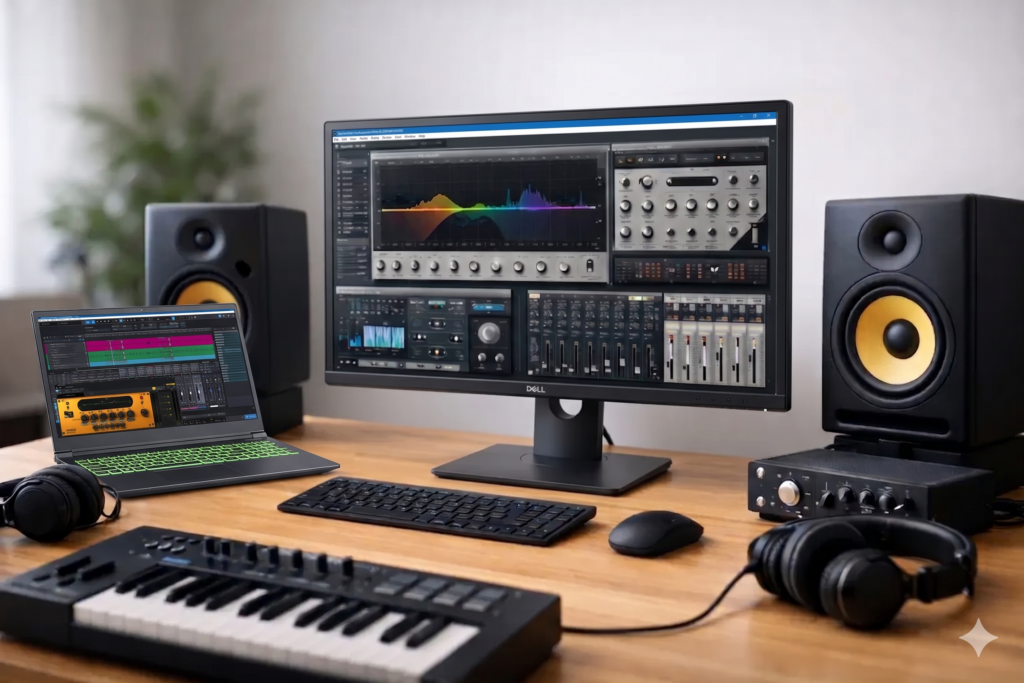
A session can feel fine at 20 tracks and then fall apart the moment you add a few hungry synths, oversampling, linear phase EQ, and a mastering limiter on the mix bus. That is usually when the search for the best computer for audio plugins stops being theoretical and starts costing time, momentum, and sometimes paid work.
For serious production, plugin performance is not just about having a fast computer. It is about having the right kind of computer for low-latency audio, stable driver behavior, predictable thermal performance, and enough overhead to keep a project moving as it grows. A machine that looks impressive on a retail shelf can still struggle in a real DAW session if the platform is not selected and configured for audio workloads.
What makes the best computer for audio plugins?
The short answer is CPU efficiency under sustained load. Most plugin-heavy sessions lean hardest on the processor, especially when you are recording at low buffer sizes or running software instruments in real time. But that is only part of the picture.
The best computer for audio plugins also needs enough RAM to hold large sample libraries, fast storage for project files and streaming instruments, and a motherboard and chipset that behave well with professional interfaces and peripherals. Quiet cooling matters too. In a studio, excess fan noise is not a minor annoyance. It can affect monitoring, vocal takes, and client confidence.
This is where generic consumer buying advice often misses the mark. Audio work is not the same as gaming, and it is not the same as office productivity. A production system has to stay responsive when the session gets dense, not just post a high benchmark score in a short burst test.
CPU matters most, but not in the way many buyers assume
If your goal is to run more plugins, your processor choice will have the biggest impact. Virtual instruments, amp sims, channel strips, reverbs, mastering processors, and oversampled nonlinear plugins all put pressure on the CPU. The question is not simply how many cores you can buy. It is how those cores perform in your actual workflow.
For tracking and overdubbing, strong single-core and low-latency performance matter a lot because the DAW has less time to process audio at small buffer settings. If you are recording vocals through an effects chain or playing a virtual piano live, that responsiveness is critical. For mixing and post work at higher buffer sizes, additional cores help spread the workload across a larger session.
That is why the best system is rarely the cheapest high-core-count machine on paper. Core count helps, but architecture, clock behavior, cooling, and platform stability all matter. A well-tuned production PC with a modern high-performance CPU will usually outperform a poorly configured machine with bigger advertised specs.
How much RAM do audio plugins really need?
For many plugin-centric workflows, 32GB is a practical floor and 64GB is a comfortable target. If your sessions center on mixing with standard processing plugins, 32GB may be enough for quite a while. If you use large orchestral libraries, drum instruments with multiple mic positions, or layered sample-based templates, 64GB becomes much easier to justify.
More RAM does not directly make a compressor or EQ process faster, but it does prevent the system from leaning on storage when projects get heavy. That matters because once memory pressure builds, the whole session can start to feel less predictable.
There is also a business case for not buying too close to the edge. If your template already loads near your current memory limit, every added library, cue revision, or alternate mix becomes a compromise. A professional workstation should leave room for tomorrow’s session, not just survive today’s.
Storage affects workflow more than buyers expect
Audio plugin performance is usually discussed as a CPU issue, but storage still plays a major role in real-world production. Fast NVMe SSDs improve load times, reduce wait states when opening large sessions, and help sample libraries stream more consistently.
A two-drive or three-drive layout often makes more sense than putting everything on one disk. One drive for the OS and applications, one for active sessions and audio, and one for sample libraries is a solid approach for many producers and composers. It keeps disk activity better organized and reduces contention when the session is doing multiple things at once.
Capacity matters too. Plugin libraries have grown quickly, and video content creators working in the same environment can burn through space even faster. A system that starts with fast, adequate storage is easier to live with than one that constantly needs external workarounds.
Why off-the-shelf specs do not tell the full story
It is easy to compare retail systems by CPU model, RAM amount, and storage size. The problem is that audio performance depends on more than that headline list.
Motherboard quality, BIOS behavior, cooling design, power delivery, driver compatibility, and background software all affect DAW stability. A machine loaded with aggressive manufacturer utilities, unnecessary services, and consumer-oriented tuning features may create exactly the kind of inconsistency audio professionals try to avoid.
That is one reason purpose-built audio computers continue to matter. A workstation engineered specifically for production use can save hours of troubleshooting because the components were chosen to work together under real session conditions, not just to hit a price point.
Desktop or laptop for plugin-heavy sessions?
If maximum plugin count, thermal headroom, and long-session stability are your priorities, desktops usually win. They offer better sustained performance, more expansion, quieter cooling, and easier long-term upgrades. For commercial studios, mix rooms, and composers running dense templates, that advantage is hard to ignore.
Laptops still make sense for mobile producers, remote sessions, content creators, and anyone who needs to work between locations. The trade-off is that a laptop has tighter thermal limits and less room for expansion. You can absolutely do serious plugin work on a well-designed production laptop, but the configuration matters more because there is less margin for compromise.
In other words, the best computer for audio plugins is not always the most portable one. It depends on whether your work happens mostly in one room or across multiple environments.
Stability is a feature, not a bonus
A fast computer that glitches during a vocal take is not a professional tool. The same goes for a system that behaves differently after every update, throws DPC latency spikes, or starts throttling once the room warms up.
For plugin-heavy work, stability has to be part of the buying decision from the start. That includes audio interface compatibility, tested Windows optimization, sensible power management, and cooling that can sustain high loads without excess noise. These details rarely show up in generic spec charts, but they are often what separates a dependable workstation from a frustrating one.
This is where a specialist builder can provide real value. PCAudioLabs, for example, builds Windows systems specifically around DAW performance, compatibility testing, and production-ready reliability. For creators who would rather spend their time mixing, composing, editing, or delivering work than tuning BIOS settings and chasing conflicts, that matters.
A practical way to choose the right system
Start with your actual sessions, not your wish list. If you mostly mix rock bands with native channel strips, reverbs, and a handful of soft synths, your needs are different from a composer running large Kontakt templates or a producer stacking CPU-intensive modern synths at low latency.
Think in terms of buffer size, track count, instrument count, and session complexity. Are you tracking through plugins in real time? Are you printing stems all day? Do you keep huge templates open for fast recall? These answers determine whether you should prioritize higher clock speeds, more cores, more RAM, or more storage.
Also consider lifespan. A machine that feels slightly overbuilt on day one often turns out to be the safer buy for a working studio. Plugin chains get heavier, sessions get denser, and clients rarely reduce their expectations to match your CPU meter.
So what is the best computer for audio plugins?
The best answer is a well-optimized Windows workstation with a modern high-performance CPU, at least 32GB of RAM, fast NVMe storage, quiet cooling, and components selected for proven DAW compatibility. For many professionals, that means a desktop tower. For mobile creators, it means a production laptop configured with enough headroom to avoid thermal and memory bottlenecks.
What it does not mean is buying based on marketing shorthand alone. The best computer for audio plugins is the one that stays stable at the buffer sizes you use, handles your plugin chain without drama, and gives you confidence when the session gets larger than planned.
If you are choosing a system for serious music production, buy for the workload you actually run and the reliability you actually need. A good workstation should disappear into the process, leaving you with one less thing to think about when the creative work gets demanding.