
DPC Latency: What is it, Does PCAudioLabs Test for DPC Latency?
Updated: 4/10/2026
DPC latency is, simply put, the enemy of music production.
In this article, we’ll talk about what DPC latency is, if PCAudioLabs tests for DPC latency, and how our Rok Box Pro Audio PCs are better at ensuring that DPC latency is not a concern when you’re producing music.
Table of contents for Does PCAudioLabs Test for DPC Latency
What is DPC Latency? Does PCAudioLabs Test for DPC Latency?
DPC latency stands for Deferred Procedure Call Latency.
When a driver in your Windows operating system requests access to system resources, it generally needs to sit in what is called a wait chain — think of it as the queue outside a club.
Everyone wants to get into the club as quickly as they can — they want to get to the party!
But, the bouncer at the door needs to ensure that people are only let in when they should be allowed in.
Sometimes, someone tries to jump the queue — that’s not fair to everyone else! And that causes problems.
In digital audio production, when a driver for a device installed in your PC requests to jump ahead of the queue, it can cause DPC latency, which can lead to pops and clicks in your audio, or even worse, system shutdowns and crashes.
Generally speaking, drivers that are most at fault for DPC latency are those used by Graphic Processing Units (GPUs). These drivers are accessed often, and therefore they may be pushed up the wait chain. Windows is good at ensuring that everyone gets into the club when they’re allowed to be, but an out-of-date or problematic driver may cause an issue in the wait chain.
Other drivers in a PC can cause issues, including, but not limited to, audio interface drivers, networking drivers, USB peripherals, and myriad other devices.
If not kept in check, DPC latency can cause many issues in audio production.
But, in a properly-built and tested Pro Audio PC, such as the PCAudioLabs Rok Box MC series of Pro Audio PCs, DPC latency is much less a concern than it would be on a typical off-the-shelf PC such as those from Dell, HP, and other PC manufacturers, who do not account for DPC latency and the needs of digital audio production.
Alright, PCAudioLabs Tests for DPC latency. So, prove it!
Don’t worry, we will!
We’re often asked, “Does PCAudioLabs test for DPC latency?”.
The answer is always yes.
Every Rok Box Pro Audio PC that PCAudioLabs builds is tested for DPC latency using LatencyMon DPC latency testing software for a minimum of 15 minutes running in the background as normal audio production tasks are conducted.
Running this software in the background whilst using the PC as one of our customers would allows us to assure that DPC latency issues will not arise as new applications are opened and tasks performed.
LatencyMon can be downloaded for free by clicking here.
What are the most common causes of DPC Latency?
It’s important to keep in mind that DPC latency depends on many factors.
The most common causes of DPC latency are:
- Outdated BIOS and motherboard firmware.
- Improperly configured BIOS images and settings (CPU throttling, PCIe bus settings, etc.).
- Third-party hardware causing wait-chain issues (networking cards, some WiFi chipsets, etc.).
- Antivirus software, particularly Norton, McAfee, Avast, AVG antivirus. The only antivirus applications we’ve tested and found to not cause issues with DPC latency or system performance is Windows Security (which is built into Windows 10 and up), and Bitdefender antivirus. While we do not suggest running a PC without antivirus protection, we do not suggest running problematic applications such as Norton, as they have been found to cause serious system performance issues. We also do not suggest completely disabling antivirus applications, even if you keep your Rok Box pro audio PC disconnected from the Internet; that is covered in another article on our blog.
- Outdated drivers within Windows: Networking drivers (ethernet NIC, WiFi, etc.) are most problematic, but system-level drivers, such as Intel Management Engine drivers, can cause DPC latency and other issues if not kept up-to-date.
- Poorly-managed system maintenance: It’s important to maintain your operating system on a regular schedule by running Disk Cleanup, clearing temp files, running a Windows System File Check scan, and assuring that your drives are properly optimized on a regular schedule. We have another article about maintaining your pro audio PC HERE.
- PCs that are not optimized for audio production, such as those from HP, Dell, Lenovo and other big-box off-the-shelf PC builders, are known to have DPC latency and performance issues because they use proprietary hardware and software built into them, as well as needlessly-installed third-party applications that are nearly impossible to truly remove from Windows without completely reinstalling Windows. Even when completely reinstalling Windows onto a PC from these builders, you may immediately re-inherit said applications because the OEM (Original Equipment Manufacturer) license of Windows that was provided with your PC requires those applications to be reinstalled.
What makes a PCAudioLabs RokBox pro audio PC better for audio production and DPC latency?
All of the above mentioned factors are why a PCAudioLabs RokBox pro audio PC is best for pro audio and music production.
- We do not include any third-party applications pre-installed on your PC.
- We build our PCs ONLY with hardware that we’ve tested and are certain does not cause DPC latency.
- We do not utilize proprietary motherboards or other hardware that will fall prey to not being consistently updated or upgraded to account for possible DPC latency issues.
- We test every PC that we build for DPC latency and for performance.
- We understand what is required of a PC for it to properly perform for music and video production.
Some hardware simply causes DPC latency.
We’ve had customers call us after building their own PC, stating that they simply cannot clear a DPC latency issue, regardless of how hard they try.
Unfortunately, some hardware may cause these issues, and simply not be suitable for audio production.
That’s why having a Pro Audio PC built by a seasoned and professional PC builder like PCAudioLabs matters. We test our components, and we ensure that they are suitable and reliable for audio production workflows.
How to test for DPC latency
When we build your Rok Box Pro Audio PC at PCAudioLabs, we thoroughly test your PC’s components for stability and DPC latency. This is accomplished by utilizing many applications, including BurninTest Pro from Passmark software, and LatencyMon , from Resplendence software.
To test for DPC latency, we’ll run audio playback through an audio interface and a Digital Audio Workstation, in the case of this blog, PreSonus Studio One (now known as Fender Studio Pro).
With audio playing back, and some popular plugins instantiated (in this case, iZotope Ozone 11, LANDR Mastering Pro, and IK Multimedia T-Racks CS), we’ll launch LatencyMon , and allow it to run in the background.
The application will scan DPC wait chains for possible interrupts, and then report to us if there is an issue. If an issue is identified, we will then locate the problematic device or driver, and correct the issue. No system leaves our workshop without having had these tests run.
We run our LatencyMon test for at least ten minutes. In our experience, within ten minutes, if a DPC issue is going to happen, it will make itself known.
Rok Box Pro Audio PC Configuration for DPC latency testing
For this article, our test PC is a RokBox Pro Audio PC built with the following specs:
- Intel Core i9 12900k CPU
- ASUS ProArt Z690 Creator Wifi Motherboard
- 128GB Corsair DOMINATOR LED RAM
- Windows 11 Pro
- Universal Audio Apollo Solo Thunderbolt Audio Interface with Buffer size settings of 128 samples.
- PreSonus Studio One 6.6
- LANDR Mastering Pro, iZotope Ozone 11, IK Multimedia T-Racks CS
- Audio playback in Studio One is 48kHz, 24-bit.
Note that system specs change often, but the testing methodology does normally change.
Test For DPC Latency Methodology
Testing is simple.
We will play back audio from our test Rok Box Pro Audio PC while running LatencyMon in the background.
We’ll open and close plugins, make changes to their settings, stop and start playback, and other actions that someone would likely take whilst using their PC for audio production.
We’d also like to note that in this test scenario, other applications are open and running in the background, namely, Google Chrome, which is known to be a memory-hog.
We’re also connected to the Internet via Wi-Fi, with various other applications running in the background.
In a standard, off-the-shelf PC, these additional applications would likely cause DPC latency issues.
Below, you’ll find screenshots of our process of testing for DPC latency, along with the associated timestamped screenshots from LatencyMon.
This will help to answer the question, “Does PCAudioLabs Test for DPC Latency?”.
DPC latency test screenshots with LatencyMon and PreSonus Studio One/Fender Pro Studio
Below are screenshots of some of our DPC latency testing workflows using LatencyMon software and PreSonus Studio One.
Note that since the initial publication of this article, PreSonus has been acquired by Fender, and is now known as Fender Studio Pro.
The software operates in the same fashion as PreSonus Studio One, and so these test results will be similar if not the same on a similar, upgraded RokBox pro audio PC running Fender Studio Pro.
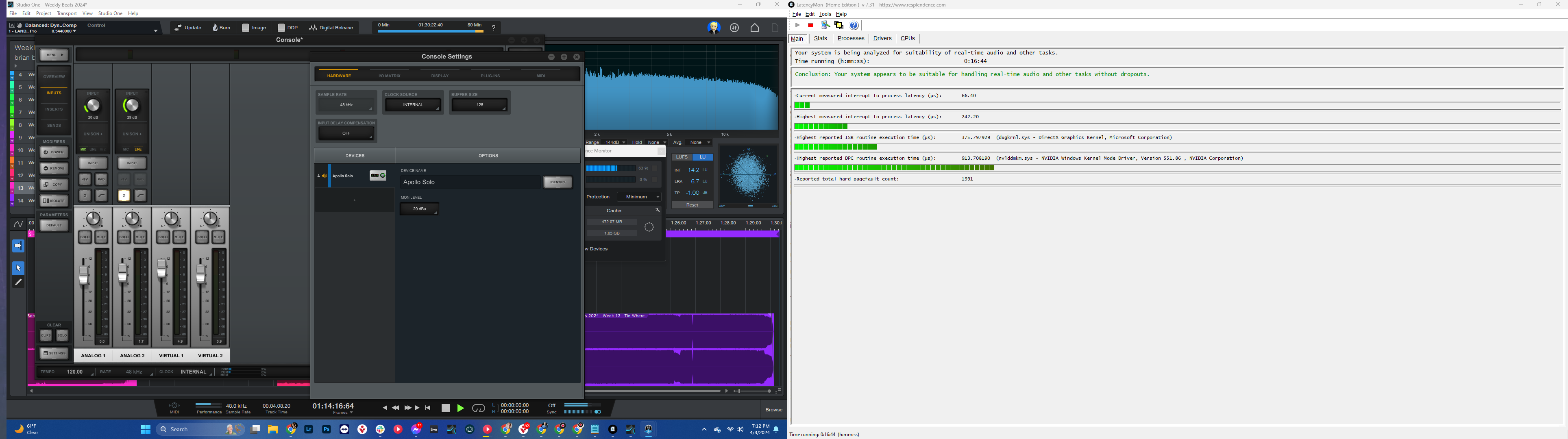
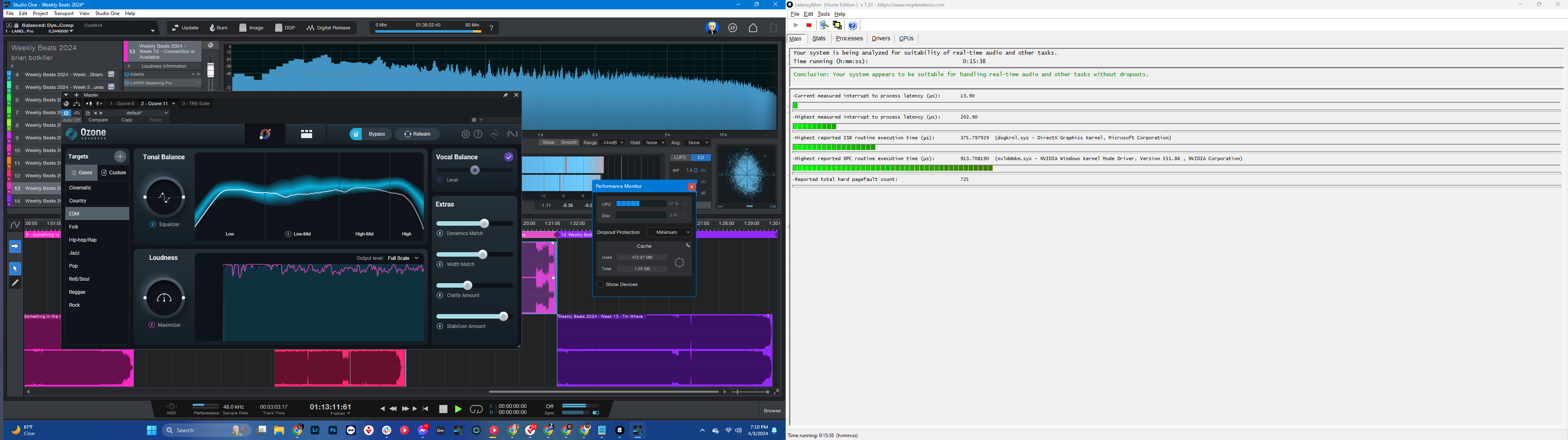
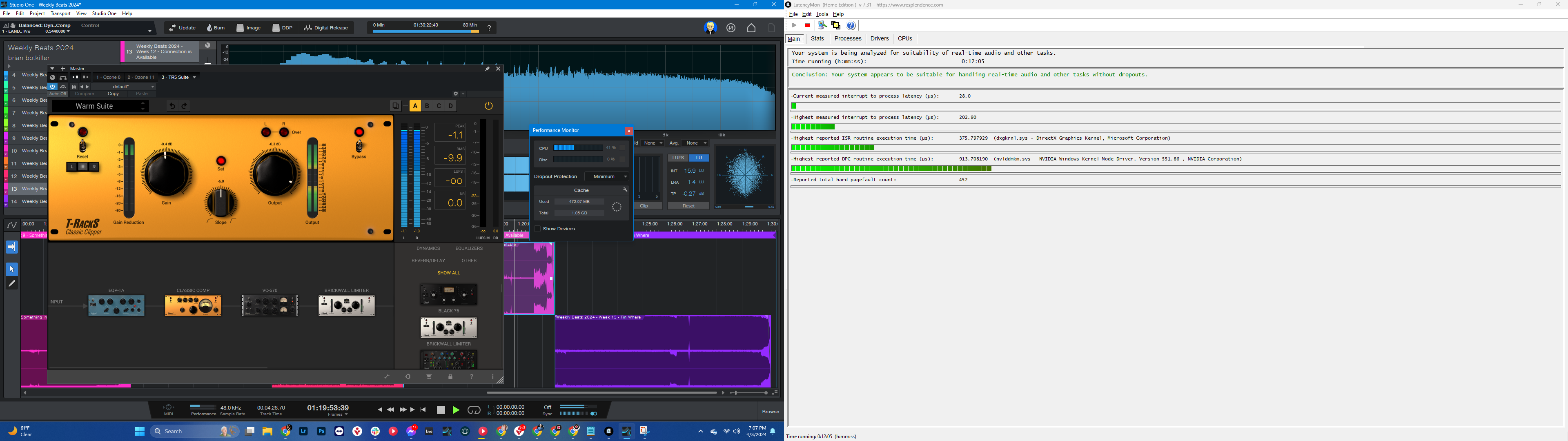
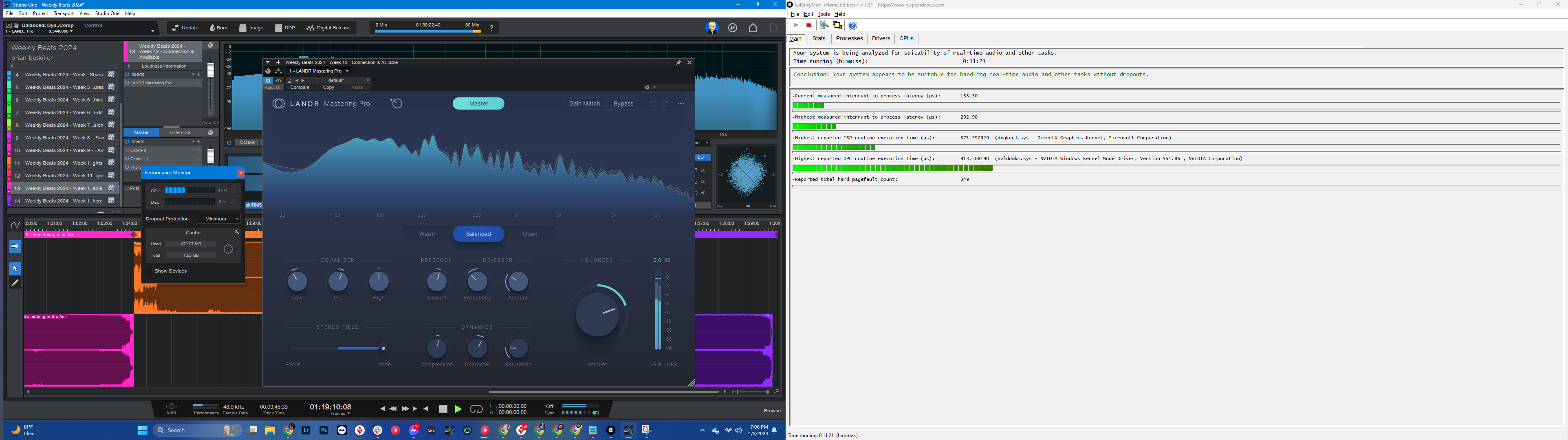
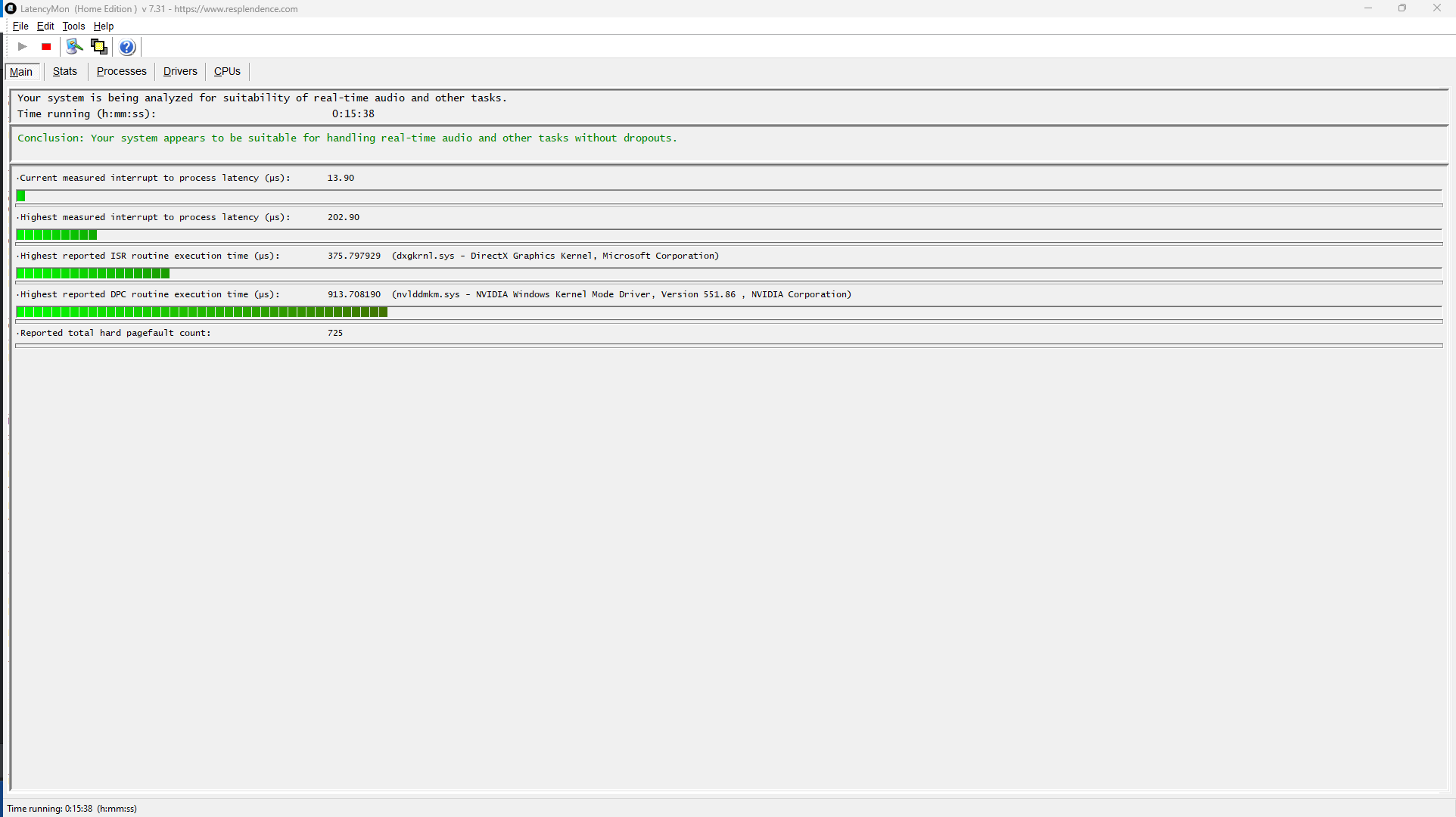
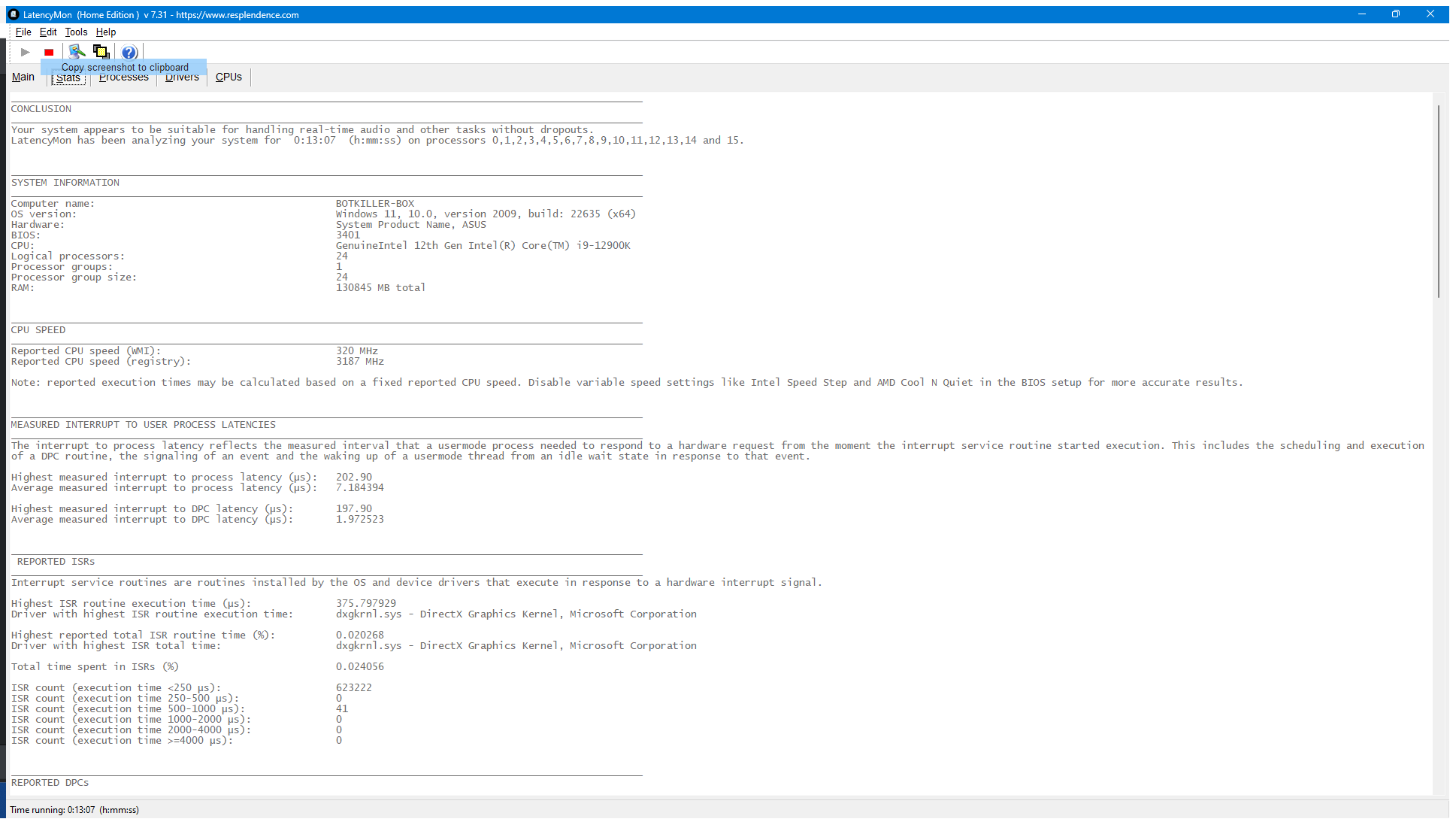
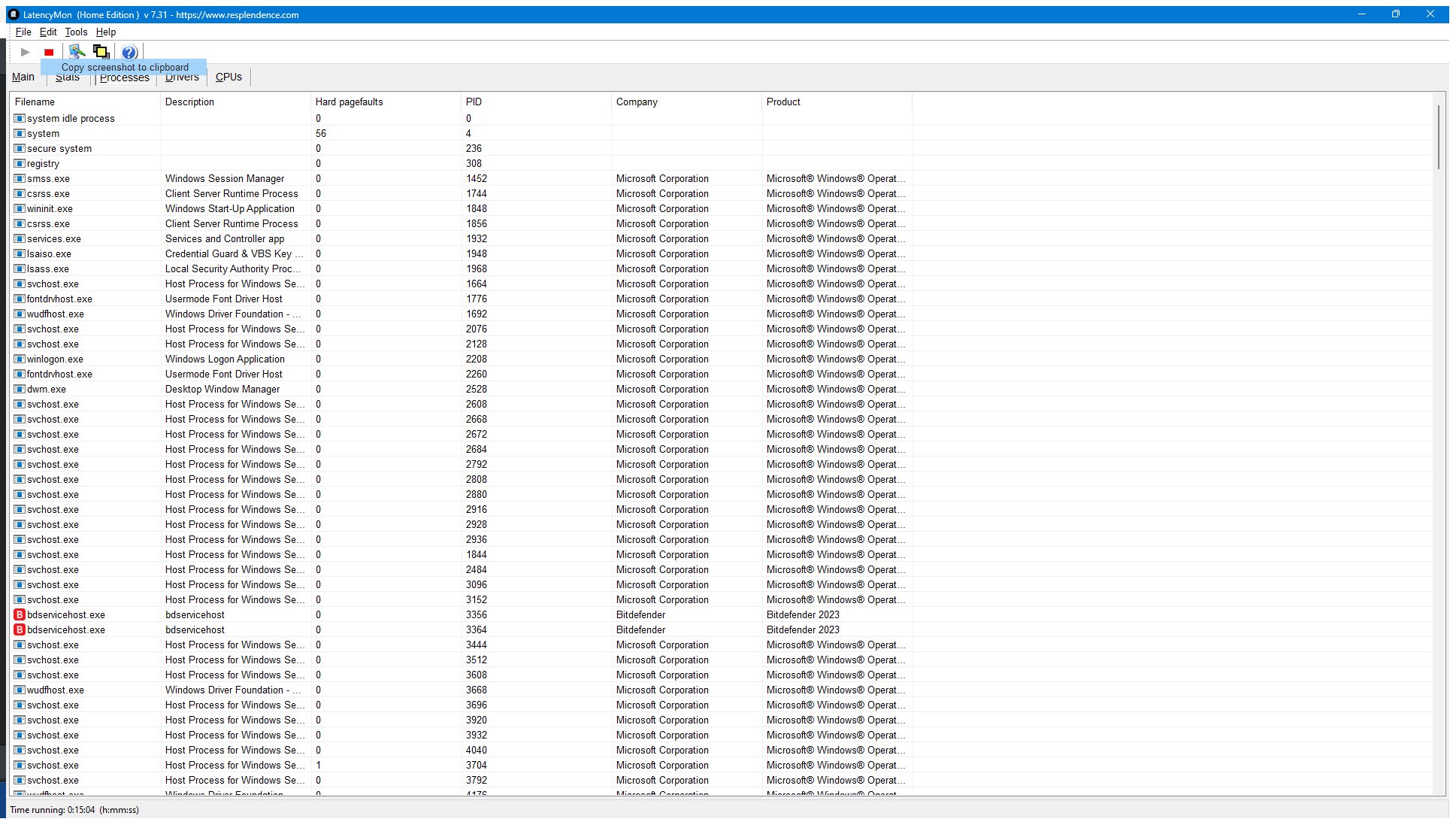
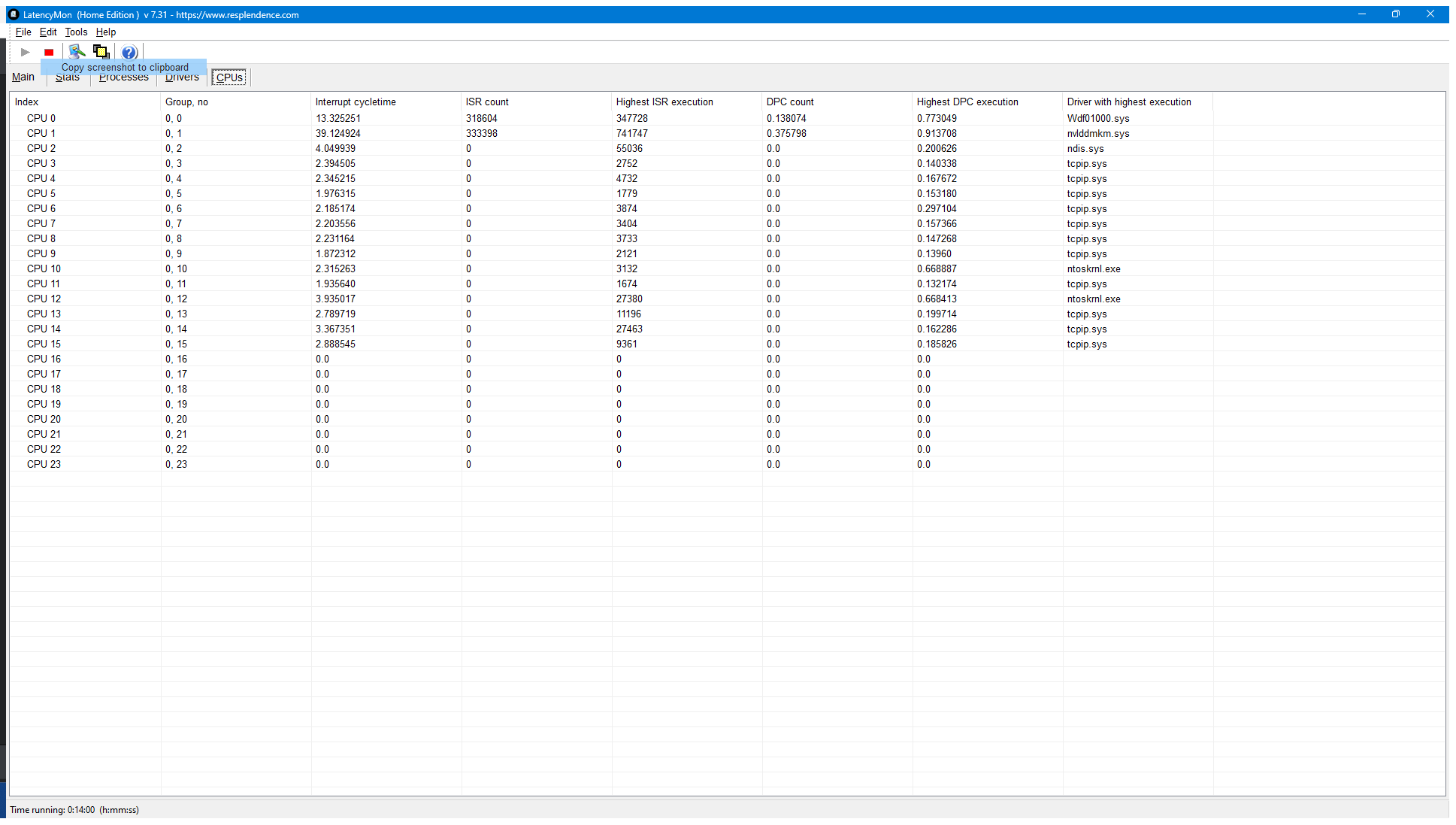
As you will see from these screenshots, no DPC latency was found during our test run.
No RokBox PC built by PCAudioLabs will ever be allowed to be shipped to a customer if it does not pass DPC latency testing.
A note about DPC latency on mobile chipsets and PCs
A common complaint we hear from customers is that their laptop, usually made by HP, Dell, Lenovo, etc., is showing a red warning in LatencyMon stating that the PC is not suitable for audio playback and recording.
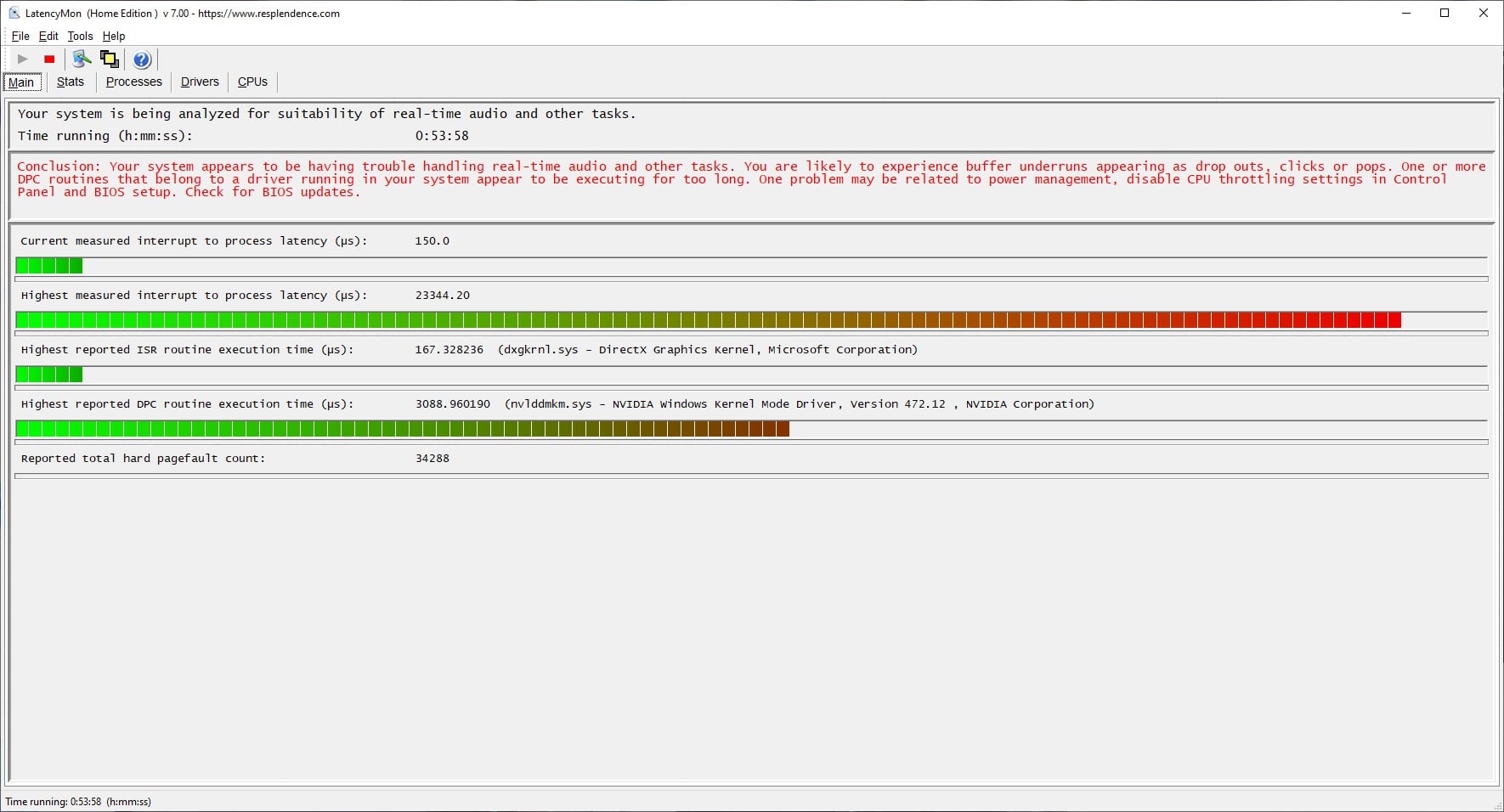
There are some important notes to make here:
- Mobile chipsets, especially more modern ones (manufactured after 2024 and beyond), will generally cause for this error to be shown in LatencyMon. It is not always a cause for concern.
- The reason for this warning is due to a Windows framework known as ACPI.sys. ACPI.sys is responsible for power management of mobile hardware found in laptops and micro PCs. It’s primary job is to assure that CPUs do not overheat under heavy workloads, and to balance power with battery savings (which most laptop manufacturers tout as their top feature).
- ACPI.sys CAN NOT be fully disabled. Do not believe articles and armchair professionals on the Internet who tell you it can be; it cannot. It is simply too integral to the operation of Windows for it to be completely disabled. There are some ACPI functions that can be disabled in the Windows Device Manager and at system-level layers of Windows, but it cannot be completely disabled. To do so would likely cause your PC to not boot, and could also damage your PC hardware.
Because of these factors, there is always a chance that a mobile (laptop, micro PC) system, even one from PCAudioLabs, will show a warning in LatencyMon stating that a PC is supposedly “Not suitable” for audio playback and recording.
This is not the case.
This is not to say that LatencyMon is not right about this in some cases; we’ve seen big-box laptops that have this error and cannot properly function for audio production — but these issues usually stem from the fact that the CPUs in said laptops are simply underpowered and not fitting for audio production, coupled with the common causes of DPC latency that we previously mentioned.
However, just because a laptop or mobile PC shows this error in LatencyMon does not mean it will not be suitable for audio production; the real test comes in testing with an audio interface, DAW, and properly configuring your operating system, PC hardware, and power performance settings.
In reality, it would behoove the audio production world to someday have another application with which to test for DPC latency that takes ACPI.sys into consideration, but does not immediately show an error because of it, because a properly-built laptop or micro PC can still be perfectly suitable for audio production, despite this error showing in LatencyMon.
We test all of our RokBox MC Mobile X line of pro audio laptops for DPC latency, but we also test with popular pro audio hardware and software to ensure performance even if LatencyMon shows a warning.
Your mileage with a PC that was not built by PCAudioLabs will differ.
Closing Thoughts About DPC Latency Testing
We hope that you found this article to answer the question, “Does PCAudioLabs Test for DPC Latency?”
Other PC manufacturers and builders are unlikely to perform these tests as we do.
We choose PC components that we know will be ultra-compatible for audio production and are also not prone to DPC latency issues.
Your mileage may vary on your PC, specifically as you install new hardware or software.
It’s important to always keep your drivers and Operating System up to date. If you don’t, you may find that you have DPC latency issues.
When your PCAudioLabs Rok Box is built and tested, we install all the latest drivers, BIOS updates, and tweaks needed to ensure that your PC is Rok-Solid for music production.
If you have questions about our testing methodology, feel free to contact us via phone (615-933-6775), or email us.
Thanks for reading, and happy music-making to you!